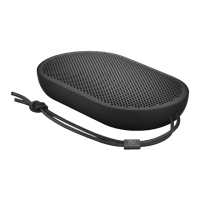
EN When the indicator flashes blue, switch on Bluetooth on
your device. Find the device list and select Beoplay P2. The
indicator turns solid white when connected and a sound
prompt is heard. Beoplay P2 is now ready to play.
DA Når indikatoren blinker blåt, skal du tænde for Bluetooth
på enheden. Find enhedslisten, og vælg Beoplay P2.
Indikatoren lyser konstant hvidt ved forbindelse, og der
afspilles et lydsignal. Beoplay P2 er nu klar til afspilning.
DE Wenn die Anzeige blau blinkt, schalten Sie Bluetooth an
Ihrem Gerät ein. Suchen Sie die Geräteliste und wählen Sie
Beoplay P2. Sobald die Verbindung hergestellt ist, leuchtet
die Anzeige weiß und ein Signal ertönt. Beoplay P2 ist jetzt
zur Wiedergabe bereit.
ES Cuando el indicador parpadee en color azul, active
Bluetooth en su dispositivo. Busque la lista de dispositivos
y seleccione Beoplay P2. El indicador se iluminará en color
azul fijo cuando se haya conectado, y se oirá una indicación.
Ahora, Beoplay P2 está listo para reproducir.
23


 To Next Page