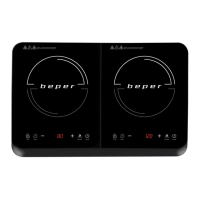
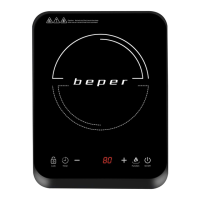
Induction cooker Use instructions
EN
11
Power setting
Touch the “Function” button on the panel once. The appliance switches on, the display shows “1600W ‘.
With the “+” and “-” keys you can adjust the desired power from 200 to 2000W.
At the end of cooking touch the ON/OFF button to switch off the appliance.
Timer after power setting
Press “Timer” during cooking. The “timer” indicator lights up, and “0:10” ashes on the display.
Use the “+” and “-” keys to set the cooking time, from 0 to 4 hours.
For a few seconds the display will show the set cooking time.
The display shows the selected power and the remaining time.
Cooking will stop when the set time has run out.
Cooking with temperature adjustment
Press the “Function” button 2 times. The appliance switches on, the display shows “180 C”.
Set the desired cooking temperature with the “+” and “-” buttons. There are 10 adjustable levels ranging from
60°C to 240°C.
Timer after temperature setting
Press “Timer” during cooking. The “timer” indicator lights up, and “0:10” ashes on the display.
Use the “+” and “-” keys to set the cooking time, from 0 to 4 hours.
For a few seconds the display will show the set cooking time.
The display shows the selected temperature and the remaining time.
Cooking will stop when the set time has run out.
Key lock
To lock the keypad of the control panel press the “Lock” button for a few seconds during use.
The “Lock” button light comes on to indicate the lock.
To unlock, press the “Lock” button again for a few seconds.
Security systems
The appliance switches off automatically if there is no cooking container, or it is removed, or is a material not
suitable for induction cooking.
In this case the product will beep for about 60 seconds, and then it will go into stand-by mode.
Each time the product is turned off with the ON/OFF button, the fan will continue to run for about 30 seconds, so
as to cool every part of the appliance.
To turn off the product always use the ON/OFF button, do not turn it off by removing the cooking pan.
Error messages
Error Cause Solution
E0 The cooking container is not suitable
The cooking container is not positioned in
the cooking area
Use a cooking container for induction cooking
and place it in the centre of the cooking area
E1 Error in the internal circuit Contact the after sales service
E2 Internal overheating Use a suitable cooking container
Check that the ventilation fan is not obstructed
If the problem persists, contact the after sales
service
E3/E4 High or low voltage Connect to an electrical network as indicated
on the label on the product
E5 Error or short circuit on the temperature
sensor or other parts
Contact the after sales service
E6 Overheating of the cooking glass Allow to cool and remove the container,
after cooling you can resume cooking


 To Next Page