10in1 Cleaner and sanitizing mop Use instructions
EN
15
Glass and window accessory
Insert the brush sprayer to the short sprayer directly. Hook the two hooks (present in the back of the glass ac-
cessory) into the slots of the general purpose accessory and hook the clamp. Fig. E
Towel
Insert the brush sprayer to the body (see above instruction)and x the towel on it.
Extension for sprayer accessory
Insert the extension for sprayer to the short sprayer, and screw in clockwise way. You can insert round brush
sprayer, bent sprayer, brush sprayer, long sprayer on to the hexagonal terminal part of the extension.
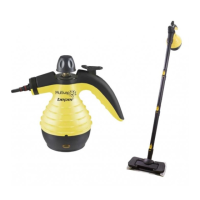
Floor cleaner extension
In order to use the oor cleaner extension, connect the 3 poles together until you hear a slight click. Fig. F
Place the broom brush on a at surface and insert the brush connector downwards pointed in the central hole.
Then turn the broom brush connector so that it faces upwards. Fig. G
In order to insert the microber cloth on the brush, pull up the two aps located at the top of the brush, place the
brush on the cloth and fold the side ends of the cloth so that they are under the two raised aps. Then lower the
aps to stop the cloth. FIG. H.
Insert the pole into the brush connector and join it to the short sprayer, turning the rod counterclockwise. FIG. I
By connecting the connector nozzle to the pole, you can insert the other accessories supplied, such as the round
brush and the general purpose accessory.
To disassemble the scrubber extension, turn the pole, from the side near the tank, clockwise, press the buttons
and pull the poles outwards in order to detach them. Also to disconnect the pole from the connector for the brush,
press the button and pull the brush outwards. To disconnect the connector from the brush, turn it downwards and
pull it outwards. Pull up the brush aps to set free the microber cloth.
The cloth can be washed in the washing machine at 40°C.
Functions
Sterilization and anti bacteria function
Insert the long sprayer and aim it at the area to be cleaned; push the steam button to remove bacteria.
Clothes cleaning function
Insert the brush sprayer, x the towel, aim it at the clothes; push on the steam button and start cleaning to re-
move dust from clothes.
Window cleaning function
Insert the brush and the at sprayer, aim at the window, press steam button, and start cleaning.
Floor cleaning function
Insert the long brush sprayer and the bent or round brush sprayer, aim at the oor, press the steam button to
remove dirty on the oor.
After use
Remove the plug from the socket. Press the steam button to release the pressure until no steam comes out. The
safety lid will open only when there will be no pressure inside the tank ( aprox 15 minutes). Let the cleaner cool
down for a while. Empty the tank from the remaining water, clean the surface of the product with a damp cloth.
Finally put back the safety cover and screw it tight.
Cleaning
Before cleaning the item remove the plug from the socket.
Before cleaning and replacing let the item cool down.
Clean the item and the accessories with a soft damp cloth.
Never use chemical products.
At least one in a month we suggest to clean carefully and remove limestone deposit from the tank in order to
grant a long and good function life of the item.


 To Next Page
 Loading...