EasyManua.ls Logo

Best Buy Easy Home DVB-T Flip HD User Manual

Best Buy Easy Home DVB-T Flip HD
83 pages
Go to English
To Next Page IconTo Next Page
Page #1 background imageLoading...
Page #1 background image
Manual de instrucciones.............................3
User manual............................................11
Manuel d’Utilisation..................................19
Manuale dell’Utilizzatore........................... 27
Manual do Utilizador................................. 35
Betriebsanleitungen für Den Benutzer........ 43
Instrukcja Obsługi.....................................51
Návod K Použití........................................ 59
Návod Na Obsluhu.................................... 67
Használati Utasítás...................................75
ESP
ENG
POR
FRA
ITA
DEU
POL
CES
MAG
SLO
Question and Answer IconNeed help?

Do you have a question about the Best Buy Easy Home DVB-T Flip HD and is the answer not in the manual?

Best Buy Easy Home DVB-T Flip HD Specifications

General IconGeneral
BrandBest Buy
ModelEasy Home DVB-T Flip HD
CategoryTV Receiver
LanguageEnglish

Summary

Introduction

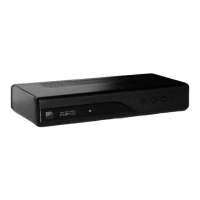
Front Panel Overview

Details the indicators, windows, and buttons on the front of the device.

Rear Panel Overview

Lists and describes the various input/output ports on the rear of the device.

Remote Control

Remote Control Button Functions

Explains the purpose of each button on the remote control for device operation.

Connecting the Device

TV-set and Antenna Connection

Guides on connecting the set-top box to a TV and antenna using various cables.

Initial Setup and Operation

First Time Installation Guide

Steps for initial setup including language, country, and channel search.

Program Management

Covers managing program settings and editing preferences like lock, skip, and delete.

Channel and Program Navigation

Explains moving channels, using EPG, sorting, and LCN functionality.

Channel Search Procedures

Details auto search, manual search, country selection, and antenna power settings.

System and Time Configuration

Time Setting and Auto Standby

Configures the device's time and the auto standby feature.

System Settings and Security

Covers parental control, password setup, and restoring factory defaults.

USB Media and Recording

Multimedia Playback via USB

Describes playing music, photos, and videos from a USB device.

USB PVR and Timeshift Functionality

Explains recording live TV (PVR) and pausing live playback (Timeshift).

Technical Specifications

Tuner and Demodulation Details

Lists technical specifications for the tuner and demodulation modes.

Video, Audio, and USB Specifications

Provides technical details on video/audio decoding and USB interface.

Power and Consumption Specs

Details the device's power input and consumption ratings.