
 Need help?
Do you have a question about the Best Buy Easy Home TDT Compact DS and is the answer not in the manual?
 General
| Brand | Best Buy Easy Home |
|---|---|
| Model | TDT Compact DS |
| Category | TV Accessories |
| Amplifier | No |
| Color | Black |
| Signal Reception | VHF/UHF |
Important user responsibilities and precautions for safe operation.
Explanation of the remote control buttons and their functions.
List of included accessories with the unit.
Guidance on proper disposal of batteries and the appliance.
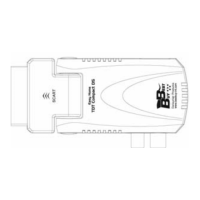
Diagram and explanation of unit's input/output ports.
Initial setup screen for region, language, and channel search.
Accessing the main menu for channel and system configuration.
Navigating and previewing the list of available TV channels.
How to mark, select, and organize favorite channels.
How to lock specific channels using a password.
How to skip or ignore channels during scanning.
How to change the position of channels in the list.
How to rename channels.
How to sort channels by name, lock status, or default order.
How to mark channels for deletion from the list.
Viewing and managing the list of available radio channels.
Option to erase all stored channels from the device.
Automatically search and tune all available channels.
Scan for channels by number or frequency with adjustable parameters.
Optimize signal reception by adjusting antenna settings.
Select preferred language for menus, audio, and subtitles.
Configure video resolution, aspect ratio, and video output.
Set the region, GMT, and daylight saving time for accurate time display.
Set timers for recording or channel changes.
Set up parental controls for menus and channels.
Adjust on-screen display timeout and transparency levels.
Configure automatic power-off after a period of inactivity.
View unit information, software version, and date.
Restore the unit to its original factory default settings.
Update the unit's software using a USB storage device.
Access and manage files on connected USB storage devices.
Procedure for safely disconnecting a USB storage device.
Create and manage playlists for music and image files.
Options for sorting files by name, lock status, or default.
Configure repeat modes and image display settings.
How to play compressed video files from a USB device.
Configure recording options, HDD information, and DVR settings.
Manage recorded programs, including lock, delete, and rename functions.
Mark recorded programs for deletion.
Change the name of recorded programs.
View information about the DVR HDD.
Pause live TV and resume playback later using USB storage.
Start, stop, and set duration for recording programs.
How to turn the unit on, put it in standby, and disconnect power.
Use buttons for channel selection and volume adjustment.
Use number buttons for direct channel selection.
Toggle between television and radio broadcast modes.
Select audio tracks and adjust stereo/mono modes.
Turn sound on or off quickly.
Access and navigate favourite channel lists.
Return to the previously watched channel.
View program schedules and information for available channels.
Navigate EPG menus for program details and timer settings.
Activate or deactivate subtitles and access teletext pages.
Access system menus and exit current screens or windows.
View detailed information about the current program and channel.
Navigate through the list of all available channels.
Move between pages in channel lists or other menus.
Start, stop, and control playback of recorded programs.
Freeze image, use timeshift, and resume playback.
 To Next Page