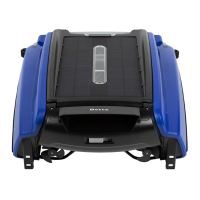
4.5 Battery Run Time and Charging during Fall/Winter
During the fall/winter, the sun's rays hit the Earth at a shallow angle. These rays are
more spread out, which minimizes the amount of energy that hits any given spot. Also, the
long nights and short days prevent the Earth from warming up. The efficiency of solar
charge will be significantly lower with a shallow angle. Thus, in those seasons, the battery
may not get a full even on a sunny day. Therefore, you should expect Betta to have a
shorter run time than in the summer.
Solution 1: Use power adapter (included) to charge Betta skimmer. (see section 4.6)
Solution 2: Please remove the Betta skimmer from your pool only if the weather is
colder than 68 Fahrenheit (20 Celsius) degrees. Charging the unit outside of the pool by
placing the unit against the wall at 45-degree angle directly facing sunlight with the
power switch turned ON. Give it a full day charge and change the spots when the sun
moves.
4.6 Charging by Adapter Instruction
Note: The unit must be turned OFF when charging by power adapter.
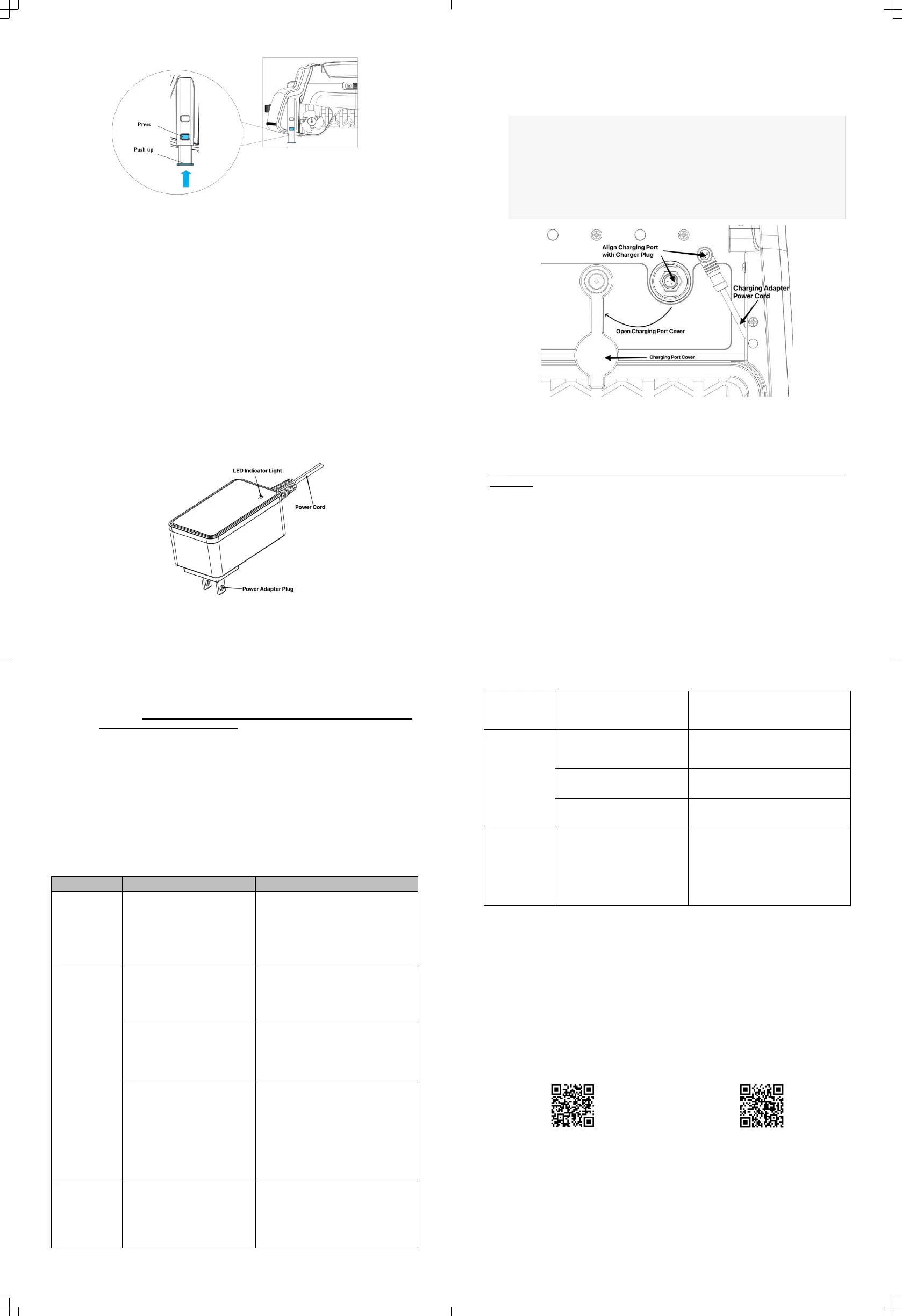
The charging adapter is included in the package. When the indicator light on the charger is
red, it indicates that the battery is charging. When the indicator light is green, it means
the battery is fully charged, and you can remove the charger.
When to use:
When the machine's indicator light is flashing red or completely off, it needs to be
charged.
How to use:
1. Open the charging port cover as shown below.
2. Take out charger adapter provided from the packaging box.
3. Turn the unit OFF.
4. Align the charger plug with the charging port, as shown in the diagram, and
insert it.
5. Plug in the charger; the charging indicator will turn red, and the machine will
begin charging.
6. When the charging indicator turns green, you can remove the charger.
5. Cleaning and Storage
Empty Collection Basket and Cleaning
Be sure to watch your steps and maintain your balance when working by the
pool side.
Clean the debris collection basket every 2-3 days to keep Betta running at high
efficiency.
1) Use the remote or wait until Betta is close to the shallow end of the pool where
you can have safe access to Betta.
2) Keep it flat when you lift it up by using two hands – one on the front handle and
the other on the lift grip at the rear end to avoid debris getting out of the
basket. Leave Betta on a flat surface to rest the unit.
3) Slide power switch off.
4) Unlock the cover lock. Lift the basket handle up to remove the basket out of
the unit and empty the debris.
5) Rinse the basket out with water hose until it’s completely clean.
6) Put the basket back in the unit, secure the cover lock, and turn power on.
7) While cleaning the basket, you may also clean the solar panel. You may see
some white residue on the solar panel which are chemicals and minerals from
pool water. Wash the residue out using water hose and wipe clean with soft
dry cloth. Do NOT use pressure washer to clean or any tools to scrape or
brush the panel to avoid damages.
Winter and Long-Term Storage
If you are closing your pool for the winter, please remove Betta from the pool. Rinse Betta
off with hose water, let it completely dry, and keep it indoor at room temperature in dry
place away from high heat. Before the first use of the next season, check all the parts of
Betta for signs of trouble before putting it back in use. Turn power on when ready to use.
6. Troubleshooting
Note: Betta ONLY takes solar charge when power switch is ON,If
you are charging Betta SE Plus by power adapter,the unit must be
turned OFF.
Below is some info that should help your daily use of Betta.
The unit is in Sleep Mode.
The status lights are off,
indicating the battery level
is very low or completely
discharged.
Leave the unit in the pool. After
sunrise the next day, the unit will
start running in intervals in
attempts to locate spots with good
sunlight where it can be recharged.
You may manually charge it with
power charging adapter.
Not running
during the
daytime
Scenario 1: The unit is in
Intermittent Mode – the
status lights are flashing in
Red, indicating the battery is
low.
You may leave it as is in the pool,
the unit will run in intervals in
attempts to locate sunlight where
it can be recharged.
Scenario 2: The unit is in
Sleep Mode. The status
lights are off, indicating the
battery level is very low or
completely discharged.
Try to place it in the spot that has
direct sunlight in the pool and wait
until it gets some charge. Or you
may charge it with power adapter.
Scenario 3: The unit is in
Strand Mode. Status lights
are flashing in Red and
Green indicating Betta is
stuck at some structures,
such as stairs, stools, or
propeller/impeller is
strapped by something.
Be patient and wait for a few
minutes. The unit will try restarting
every 20 minutes when it is in
Strand Mode.
Ensure that the basket is in
place, and the Cover Lock is
properly secured.
Check propellers and Impeller
for dirt, string, or hair.
Unit only
runs a short
time when
sunlight is
sufficient
1) The solar panel has
residues.
2) Propeller or Impeller is
strapped.
Clean the solar panels.
Ensure propellers and Impeller
are turning freely.
Charge it with the power
adapter.
The unit is
moving in
circles
One or both propellers are
trapped which makes the unit
running unbalanced.
Check propellers and Impeller for dirt,
string, and hair.
Can't be
controlled by
remote
If the light on remote control is
not lit when press any button,
remote control batteries are
low.
Replace remote batteries (2x AAA).
Remote unit is not paired with
Betta.
Try paring the remote control with
Betta unit again.
Betta may be in Sleep Mode
when battery charge is extra
low or completely discharged.
When sunlight becomes available, the
unit will exit Sleep Mode and can then
be controlled by remote.
No Battery or
Short Running
Time in
Fall/Winter
The sunlight angle is shallow
cause low solar charging
efficiency. Also, the duration of
sunshine is shorter.
Under certain weather condition, you
may take the skimmer out of the
water and put it in an angle facing the
sunlight. Keep the power button
always ON. See instruction is 4.5
(Battery Run time and Charging during
Fall/Winter) and 4.6 (Charging by
Adapter Instruction).
7. Warranty Information
Betta is designed to work in fresh water or salty water up to 5000 P.P.M. The unit comes
with 1-Year Manufacturer’s Warranty from the date of purchase. Using the unit in sea
water pools will void the warranty. If you have any issues or concerns, please contact us
directly. Betta honors extended warranty ONLY through Betta Care. Any other offers from
third-party retailers will not be serviced by Betta directly. If you have any questions about
Betta warranty, please contact us at info@BettaBot.com or 888-692-3882.
Warranty Registration
scan the QR code below
www.bettabot.com/pages/warranty-registration
Extended Warranty (Betta Care)
scan the QR code below
www.bettabot.com/pages/warranty
8. Customer Service
Phone: 1-888-692-3882 (1-888-MyBetta) or 562-579-0001 | Fax: 562-579-0008
Live Chat: Any webpage on www.BettaBot.com
Email: info@BettaBot.com


 To Previous Page
 Loading...