3
Preparing the monitor and lancing device
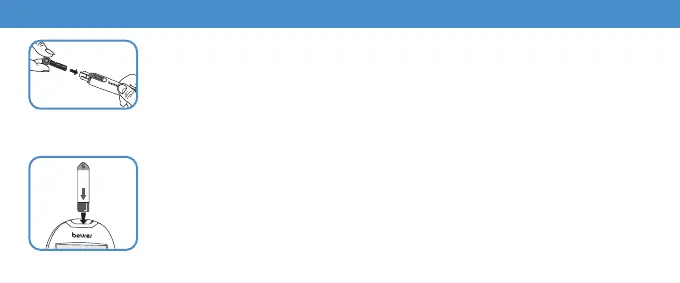
Inserting the test strip
Insert the test strip into the monitor with the contacts first.
The start screen is shown for a short moment. Then wait briefly until the
flashing hand and blood droplet symbol can be seen on the display.
Inserting the lancet needle
Remove cap from the lancing device. Insert lancet needle in the lancing device.
Hold the shaft of the lancet needle and remove protective disc by turning.
Retain the protective disc. Reapply the cap to the lancing device. Turn the
moving upper part of the cap until the desired penetration depth is dis
-
played. Pull the tensioning device back until it engages.



 To Next Page