QUICK SEARCH / PAIRING
SCHNELLSUCHE / KOPPLUNG
GYORSKERESÉS / PÁROSÍTÁS
RYCHLÉ VYHLEDÁVÁNÍ / PÁROVÁNÍ
RÝCHLE VYHĽADÁVANIE / PÁROVANIE
CĂUTARE RAPIDĂ / ASOCIERE
Gree, Haier Changhong, Midea Chigo, AUX
TIME ON TIME OFF
TCL, Hualing, Shangling Mitsubishi, Sharp Toshiba, Sanyang/Nec
Chunlan, Aucma Hisense, Kelon Huabao, egyéb
F.Cool
E-heat
LG, Samsung Shinco, Raybo Electorlux, Fujitsu
B
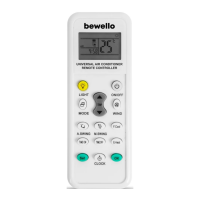
Universal air conditioner remote control, which is compatible with almost all air conditioner brands.
An excellent solution if the original remote control is missing, lost, damaged or not working or if
you want to control several types of air conditioners with one remote control. It is not necessary
to teach the buttons one by one, it is enough to set the remote control to the manufacturer code
corresponding to the description and the functions can already be used.
• More than 1000 supported models
• Compatible with almost all air conditioner manufacturers
• Quick pairing
• The original remote control is not required for setup
• Flashlight function
• Timer function
Power source: 2 x AAA battery (not included)
Screen size: 30 x 20 mm
Size: 125 x 47 x 23 mm
Color: White
Material: Plastic
TIME SETTING
1. Press and hold the button labeled “CLOCK” until the hour:minute ashes.
2. Use the temperature up/down buttons to change the exact time setting.
3. Press OK to save.
FLASHLIGHT MODE
Press and hold the button labeled “LIGHT” to operate the LED on the top of the remote. To preserve
battery life, the LED only lights up as long as you hold down the button.
B
QUICK SEARCH / PAIRING
Holding the remote control towards the air conditioner, continuously press the button corresponding
to the manufacturer according to the table, until the air conditioner emits a beeping sound. After
that, press and hold the SET button until the word CODE appears on the remote control and the
number line next to it starts ashing, then you can use the temperature UP and temperature DOWN
buttons to change the pairing code until the slats open automatically on the device. If the slats are
open, the pairing code is correct. Save the settings using the OK button.
Tip: If your air conditioner does not have a quick search function, look for the nearest brand with a
quick search in the code table. By starting the search, you will reach the desired code faster with the
up and down buttons.
EN
Universal Air Conditioner Remote Controller
BUTTONS
1. On/O button
2. Wind strength setting
3. Temperature UP/DOWN
4. Cooling mode
5. Heating mode
6. OK button
7. Time setting
8. Set button
9. Timer ON/OFF
10. Manual swing
11. Automatic swing
12. Mode button
13. Flashlight function
A
Universal-Fernbedienung für Klimaanlagen, kompatibel mit fast allen Klimaanlagen. Sie ist eine
hervorragende Lösung, wenn die Originalfernbedienung verloren gegangen ist, beschädigt wurde,
kaputt ist oder nicht funktioniert, oder wenn Sie mehrere Klimageräte mit einer Fernbedienung
steuern möchten. Sie brauchen die Tasten nicht einzeln zu programmieren. Stellen Sie die
Fernbedienung einfach wie beschrieben auf den Code des Herstellers ein und die Funktionen sind
einsatzbereit.
• Mehr als 1000 unterstützte Modelle
• Kompatibel mit fast allen Klimaanlagenherstellern
• Schnelle Kopplung
• Die Originalfernbedienung ist für die Einrichtung nicht erforderlich
• Taschenlampenfunktion
• Zeitsteuerung möglichz
Energiequelle: 2 x AAA Batterien (nicht enthalten)
Displaygröße: 30 x 20 mm
Größe: 125 x 47 x 23 mm
Farbe: Weiß
Material: Kunststo
AKTUELLE UHRZEIT EINSTELLEN
1. Halten Sie die Taste „CLOCK“ gedrückt, bis die Stunden und Minuten
zu blinken beginnen.
2. Verwenden Sie die Tasten Temperatur auf/ab, um die aktuelle Uhrzeit einzustellen.
3. Drücken Sie die Taste OK zum Speichern.
TASCHENLAMPEN-MODUS
Halten Sie die Taste „LIGHT“ gedrückt, um die LED an der Oberseite der Fernbedienung zu aktivieren.
Um die Batterie zu schonen, leuchtet die LED nur, solange die Taste gedrückt gehalten wird.
B
SCHNELLSUCHE / KOPPLUNG
Halten Sie die Fernbedienung in Richtung der Klimaanlage und drücken Sie die Taste, die dem
Hersteller in der Tabelle entspricht, so lange, bis die Klimaanlage piept. Halten Sie dann die SET-
Taste gedrückt, bis DIE Überschrift CODE auf der Fernbedienung erscheint und die Zahlenreihe
daneben zu blinken beginnt. Ändern Sie dann mit den Tasten Temperatur AUF und Temperatur
AB den Kopplungscode, bis sich die Lamellen des Geräts automatisch önen. Wenn die Lamellen
oen sind, ist der Kopplungscode korrekt. Speichern Sie die Einstellungen durch Drücken von OK.
Tipp: Wenn es für Ihr Klimagerät keine Schnellsuchfunktion gibt, verwenden Sie die Code-Tabelle,
um die nächstgelegene Marke mit einer Schnellsuchfunktion zu nden. Wenn Sie die Suche mit den
Auf- und Ab-Tasten starten, gelangen Sie schneller zum gewünschten Code.
DE
Universal-Fernbedienung für Klimaanlagen
TASTEN
1. On/O button
2. Einstellung der Windstärke
3. Temperatur AUF/AB
4. Kühlbetrieb
5. Heizbetrieb
6. OK
7. Uhreinstellung
8. Taste Einstellungen
9. Zeitgesteuertes Aus-/Einschalten
10. Manual Bewegung
11. Automatic Bewegung
12. Modus-Taste
13. Taschenlampenfunktion
A
Univerzális klíma távirányító, amely szinte az összes klímagyártó berendezésével kompatibilis.
Kiváló megoldás, ha az eredeti távirányító eltűnt, elveszett, megrongálódott, nem működik, vagy
ha több típusú klímát szeretne egy távirányítóval irányítani. Nem szükséges a gombokat egyesével
feltanítani, elég ha beállítja a leírásnak megfelelő gyártói kódra a távirányítót és a funkciók máris
használhatóak.
• Több mint 1000 támogatott modell
• Szinte az összes klímagyártóval kompatibilis
• Gyors párosítás
• Nem szükséges a beállításhoz az eredeti távirányító
• Zseblámpa funkció
• Időzíthető
Energiaforrás: 2 x AAA elem (nem tartozék)
Kijelző méret: 30 x 20 mm
Méret: 125 x 47 x 23 mm
Szín: Fehér
Anyag: Műanyag
PONTOS IDŐ BEÁLLÍTÁSA
1. Nyomja meg a „CLOCK” feliratú gombot hosszan, amíg az óra:perc villogni nem kezd.
2. A hőmérséklet fel/le gombok segítségével módosíthatja a pontos idő beállítást.
3. A mentéshez nyomja meg az OK gombot.
ZSEBLÁMPA MÓD:
Tartsa nyomva a „LIGHT” feliratú gombot a távirányító tetején található LED működtetéséhez. Az
elemek élettartamának megőrzése érdekében a LED csak addig világít, amíg a gombot nyomvatartja.
B
GYORSKERESÉS / PÁROSÍTÁS
A távirányítót a klímakészülék felé tartva nyomja folyamatosan a táblázat szerinti gyártónak
megfelelő gombot, amíg sípoló hangot nem ad a klímakészülék. Ezt követően tartsa nyomva a SET
gombot, amíg a távirányítón a CODE felirat meg nem jelenik és a mellette lévő számsor villogni nem
kezd, majd a hőmérséklet FEL és hőmérséklet LE gombok segítségével módosíthatja a párosítási
kódot, amíg a lamellák automatikusan ki nem nyílnak a készüléken. Ha kinyíltak a lamellák a
párosítási kód helyes. Mentse el a beállításokat az OK gomb segítségével.
Tipp: Ha az Ön klímájához nem tartozik gyorskeresés funkció, a kódtáblázatban keresse ki a
legközelebbi gyorskereséssel rendelkező márkát. Azt a keresést elindítva a fel-le gombokkal
hamarabb elér a kívánt kódig.
HU
Univerzális légkondicionáló távirányító
TÁVIRÁNYÍTÓ
1. Bekapcsoló gomb
2. Szélerősség beállítás
3. Hőmérséklet FEL/LE
4. Hűtés mód
5. Fűtés mód
6. OK
7. Idő beállítás
8. Beállítás gomb
9. Ki/bekapcsolás időzítés
10. Kézi mozgatás
11. Automata mozgatás
12. Mód gomb
13.Zseblámpa funkció
A
USER MANUAL
HUEN ROSKCZDE
Product Nr. BW4008
2 1
°C
14:45
WINDMODE
E-heatTIME OFFTIME ON
LIGHT ON/OFF
Set OK
CLOCK
A.SWING M.SWING
F.Cool
TEMP
1
2
3
4
5
6
13
12
11
10
9
7
8
A


 To Next Page
 Need help?
 General