english
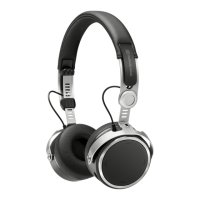
Aventho wireless – Headphones
15
Touch pad and button functions table
Unless otherwise stated, the listed functions apply for headphones that are switched
on.
Switch on
Press button for 2 seconds
Switch off
Press button for 6 seconds
Paring mode Switch off headphones, then press
button for 6 seconds
Delete pairing mode list Switch off headphones, then press
button for at least 10 seconds
Start / pause
Briefly tap the touch pad twice
Next track
Drag forwards on the touch pad .
Previous track
Drag backwards on the touch pad
Scroll forward
Drag forwards on the touch pad . and
hold for at least 1 second
Scroll backward
Drag backwards on the touch pad .
and hold for at least 1 second
Accept / finish a call
Briefly tap the touch pad twice
Reject a call
Press the touch pad for 2 seconds
Toggle between 2 callers
Press the touch pad for 2 seconds
Call personal assistant (Siri, Google As-
sistant etc.)
Press the touch pad for 2 seconds
Reset to factory settings
• Switch on the Aventho wireless.
Then perform the following steps within two seconds:
– Hold button .
– Drag one finger backwards on the touch pad .
– Release button .


 To Next Page