INSTALLATION MANUAL
All the other activation and safety inputs are managed autonomously by the
INTERNAL and EXTERNAL door. To set cage mode, you must:
- set the cage dipswitch to ON on the INTERNAL and EXTERNAL door
- set the “int ext” dipswitch to ON on the EXTERNAL door
- set the “int ext” dipswitch to OFF on the INTERNAL door
Denition of individual radar modes
• RadarAexternaldoor(1)
With doors closed, it activates opening of the external door and allows entry
inside the cage door. If the internal door is open, this door is closed before
the external door is opened. In the event of simultaneous operations, the
external door is given priority. Once the external door is closed, it activates
opening of the internal door and allows entry inside the building.
• RadarB
positioned in the middle of the cage door In normal mode, it detects the
presence of a person inside the cage door and, during exit, allows the external
door to open once the internal door has closed. In an emergency, once the
person has entered the cage door, if the other door fails to open, it allows the
door they have just entered through to be opened again.
• RadarCinternaldoor(2)
With doors closed, it activates opening of the internal door and allows entry
inside the cage door from inside the building. If the external door is open,
this door is closed before the internal door is opened. In the event of simul-
taneous operations, the external door is given priority.
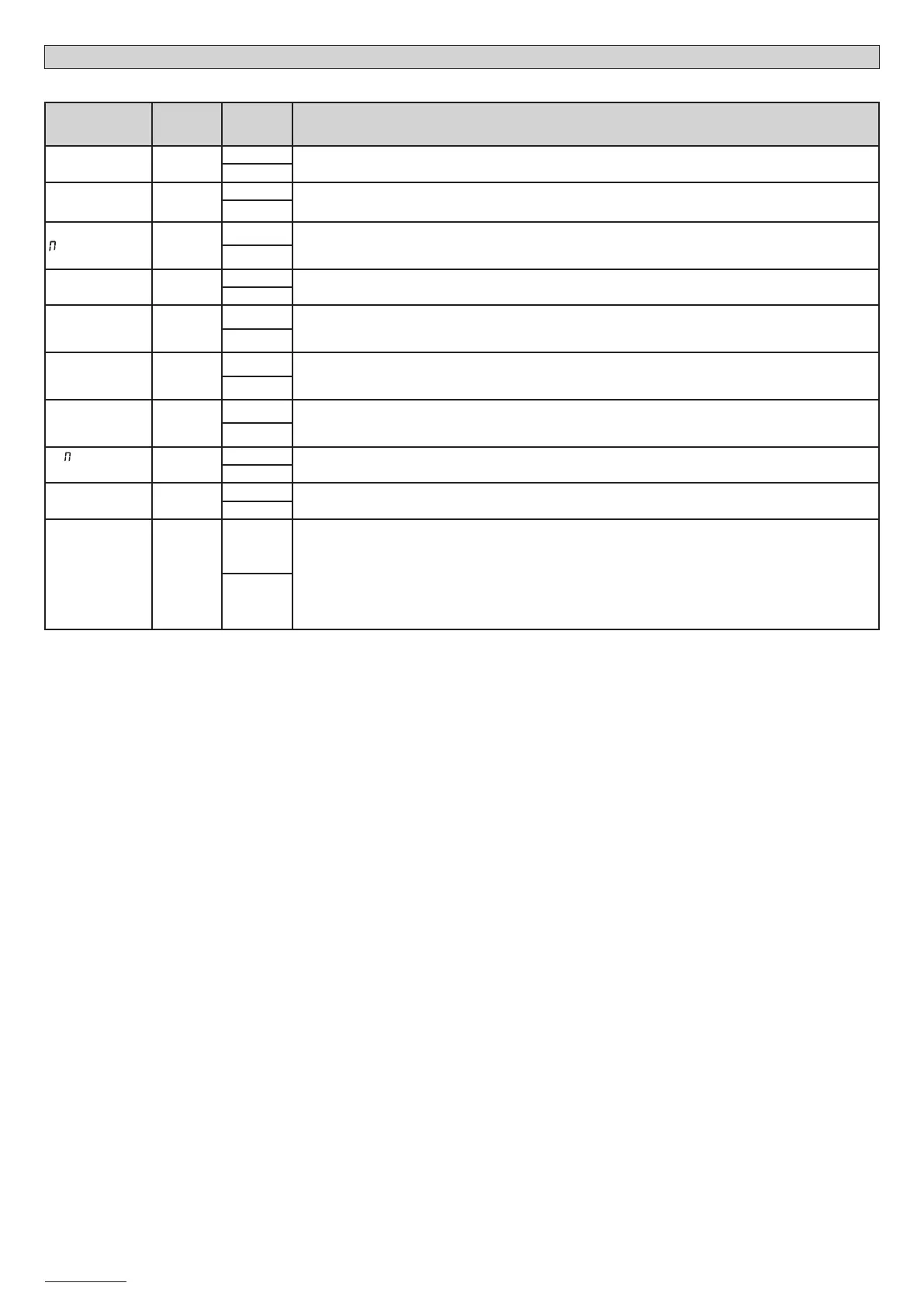
TABLE “B” LOGIC MENU
(logic)
LOGIC
DEFAULT
Cross out
using
setting
DESCRIPTION
TCA
OFF
ON
Automatic Closing ON/OFF (TCA and Clear Time)
OFF
antipanic
OFF
ON
Panic Feature ON/OFF (Section ANTI-PANIC FUNCTION)
OFF
ASTER
OFF
ON
Master/Slave door (Sect. CONNECTING A NUMBER OF DOORS WITH CENTRAL CONTROL PANELS)
“ON” Door set as MASTER in connection for management of commands via central controllers.
“OFF” Door set as SLAVE in connection for management of commands via central controllers.
OFF
revolving
OFF
ON
“ON” Revolving mode. Single/revolving door (Sect. CONNECTING 2 DOORS IN cage MODE)
“OFF” Single door mode
OFF
iNT EXT
OFF
ON
Internal/External door (Sect. CONNECTING 2 DOORS IN cage MODE)
“ON” Door set as EXTERNAL in “Revolving” mode.
“OFF” Door set as INTERNAL in “Revolving” mode.
OFF
TEST PHOT
open
OFF
ON
Safety device testing during opening
“ON” Device testing ON during opening
”OFF” Device testing OFF during opening
OFF
TEST PHOT
close
OFF
ON
Safety device testing during closing
“ON” Device testing ON during closing
“OFF” Device testing OFF during closing
OFF
ra blow c.op
OFF
ON
Hammer ON/OFF during opening
OFF
fixed code
OFF
ON
ON: Receiver is congured for operation in xed-code mode.
OFF: Receiver is congured for operation in rolling-code mode.
OFF
radio prog
OFF
ON
ON: Enables wireless memorizing of transmitters:
1- Press in sequence the hidden key (P1) and normal key (T1-T2-T3-T4) of a transmitter that has already been
memorized in standard mode via the radio menu.
2- Press within 10 sec. the hidden key (P1) and normal key (T1-T2-T3-T4) of a transmitter to be memorized.
The receiver exits programming mode after 10 sec.: you can use this time to enter other new transmitters.
This mode does not require access to the control panel.
OFF: Disables wireless memorizing of transmitters. Transmitters are memorized only using the relevant Radio
menu.
OFF
D811590 00100_01
24 - VISTA SL



 To Next Page