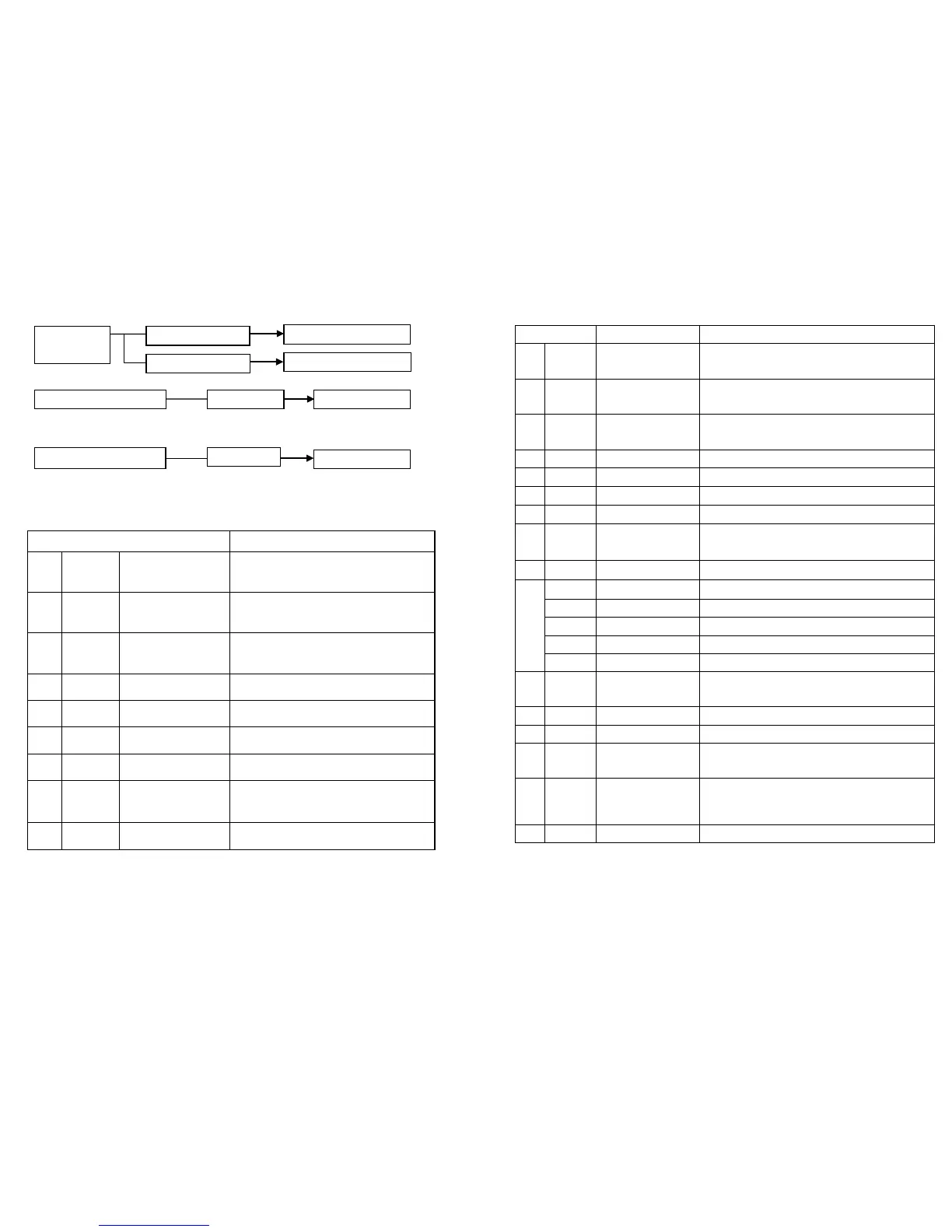
Channel Mode Setting
Reset Setting
Initialization Setting
Remark: When the operation mode is chosen, press the Enter button to run.
9-Channel Mode
Channel Function
1
0-255 PAN
Up for adjusting positive turn,
Down for inversion
2
0-255 TILT
Up for adjusting positive turn,
Down for inversion
3
0-255
Red Brightness Adjustment
Green Brightness Adjustment
6
0-255 B Dimming
Blue Brightness Adjustment
7
0-255 W Dimming
White Brightness Adjustment
8
0-255 Flashstrobe
PAN/Tilt Motor Running Speed
1 0-255 PAN
Up for adjusting positive turn,
Down for inversion
2 0-255 TILT
Up for adjusting positive turn,
Down for inversion
3 0-255
Red Brightness Adjustment
Green Brightness Adjustment
Blue Brightness Adjustment
White Brightness Adjustment
8 0-255 Flashstrobe
Stroboflash Adjustment,from slow
to fast
9 0-255 Speed
PAN/Tilt Motor Running Speed
12 Built-in Effect Built-in Effect
13 Built in Effect Speed Adjustment
14
Fine Adjusting
for PAN Running
0-255
Up for adjusting positive
turn, Down for inversion
15
0-255 Up for adjusting positive
turn, Down for inversion
16 Reset 150-200 Reset
Page 4


 To Previous Page
 Loading...