BIGBIG WON Official Web: www.bigbigwon.com
Customer Service: support@bigbigwon.com
We are here to assist you with your BIGBIG WON devices. If you have any questions,
please feel free to contact us:
GET HELP WITH
BIGBIG WON SUPPORT
USE TUTORIAL
When connecting to the Switch console, you need to open "Settings>
Controllers and Sensors>Wired Connection of Pro controller".
a. Insert the R100 Pro into the console. When the R100 Pro indicator flashes,
indicating that the adapter has entered the pairing mode. And the adapter can
be in pairing mode by pressing its button again.
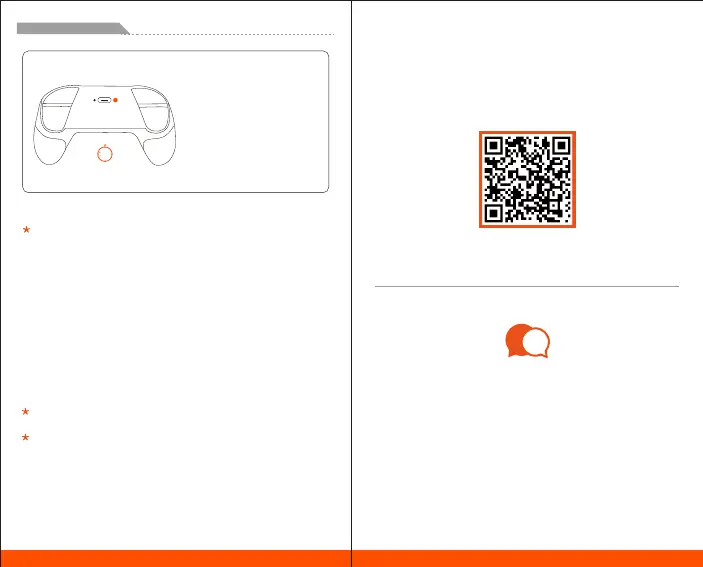
b. Press the PAIR button to turn off the pro controller.
c. Pairing mode of the controller: Press the PAIR button for more than 3 seconds.
When the controller's indicator is in fast cycle flashing, it has entered the
pairing mode.
d. Wait for automatic pairing: When the indicator of R100 Pro and the controller is
always on, and the controller light bar is in blue, it means that the pairing has
been successful.
e. Press the HOME button again and if the controller can work normally on the
host, the connection is successful.
It is recommended to repeat the above steps for re-pairing connection every
time you use it to ensure the best user experience.
After pairing with the R100 Pro, if you want to reconnect to the Switch console,
please refer to the official connection method to reconnect the controller to the
console.
Switch Pro controller
ENGLISH/イギリス語/英语
PAIR
03
Switch Pro controller


 To Next Page