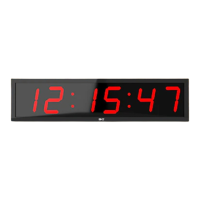
•
Press F2, and then press the UP arrow to select the alert/beep mode desired.
•
The first option shows b10- FL-AE -When the Countdown is finished the clock will beep for 10
seconds and then flash continuously until OK is pressed to stop it. Press EXIT to save this option.
•
The second option shows b-- FL-- When Countdown is finished , there is no beep and no
flashing. Press EXIT to save this option.
•
The third option shows b10 FL10 When Countdown is finished, it beeps and flashes for 10
seconds. Press EXIT to save this option.
Button A= Countdown
! B= Count up
! C= Stopwatch
! D= Alert setting/Exit
•
Press A to enter Countdown mode. Then press A and hold for 3 seconds and it will enter the
setting mode and the digits will flash. Enter value by pressing B to increase value and C to
decrease. Press A again to move to the next digits flashing and set again and so on. Press D to
exit and start Countdown
•
Press B to enter Count up mode. Then press A and hold for 3 seconds and it will enter the
setting mode and the digits will flash. Enter value by pressing B to increase and C to decrease.
Press A again to move to the next digits flashing and set again and so on. Press D to exit and
start Count up
•
Press C to enter stopwatch mode. Press A and hold for three seconds to enter setting mode. Set
the stopwatch for 999 in the first 3 digits and then 00:00:00. Use buttons B and C to set to
zeros. The clock will now show 999:00:00:00. then press D to exit and C to start the stopwatch
•
Press D to enter alert option. Press B to cycle through the three options as described above.
Press D to exit when you have selected the option.


 To Previous Page
 Loading...