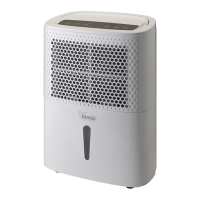
On/Off
Button
Turns on the appliance and puts on standby. The fan starts up
after a few moments and then the compressor starts up (if
necessary).
Program key
Select dehumidification: Normal / Continuous / Turbo / Drying:
it is active only when the appliance is already powered on.
When selecting the program, the corresponding LED flashes
for about five seconds and then the selected function appears:
- “ ”: Normal. It is possible to select: timer, humidity interval or desired fan using the
buttons.
-
“ ”: Continuous: the appliance operates with minimum fan power. Timer can be
selected, but it is not possible to select the humidity interval.


 To Next Page