20
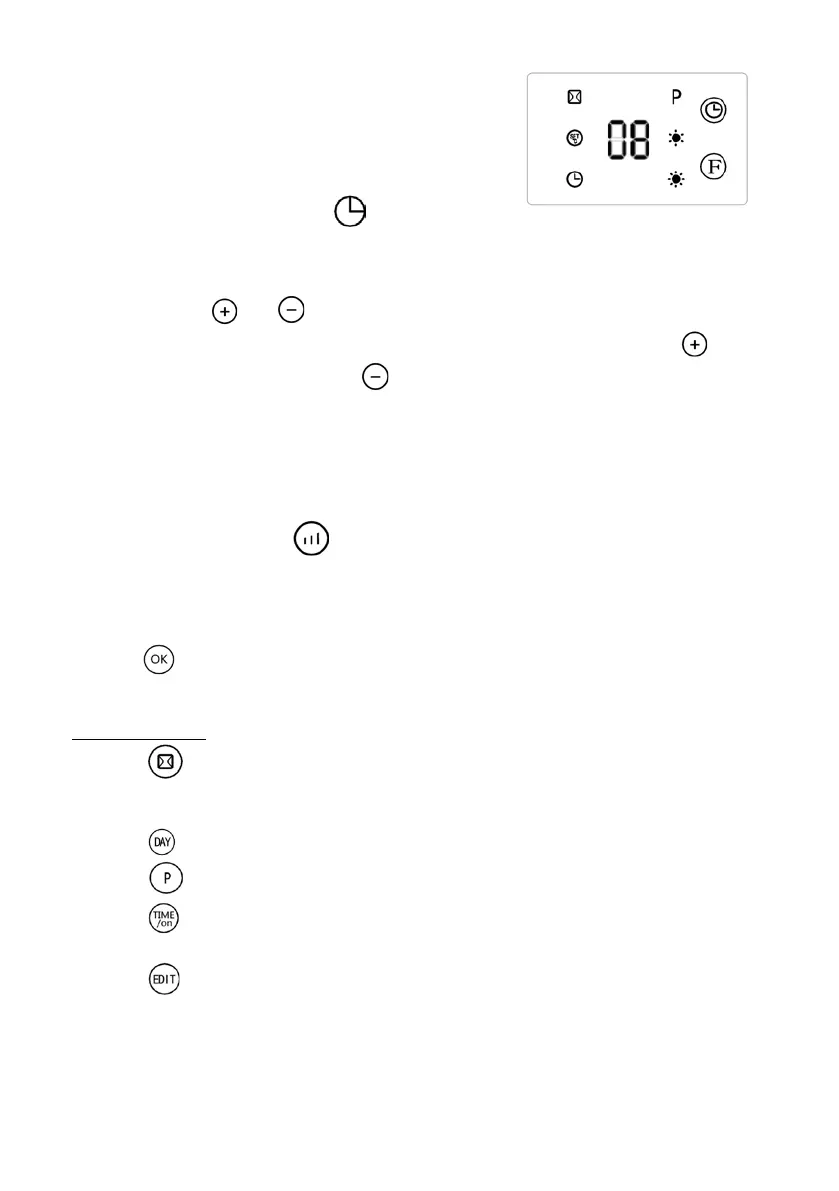
The timer is also a start programmer when the
appliance is in stand-by: every time the button
gets pressed the timer adds one hour of stand-
by, when the time runs out the appliance starts
automatically. The remaining time (in hours) is
written on the display until the time runs out and
the appliance starts to work. .
• The buttons and on the remote control: define the temperature (10-
49°C); the default temperature is 23°C and it increases if you press the button
and decreases if you press the button. The power depends on the difference
between the selected temperature nad the outside temperature and it can vary
between 1000W, 2000W or “only ventilation” mode: when the selected
temperature is reached the appliances stops automatically. If the appliance is in
Stand-by and the temperature decreases 2°C from the selected temperature the
program starts the appliance automatically. If the selected temperature is lower
than the room temperature the appliance will not work. To leave out the room
temperature press the button and select power I or II: the appliance works in
this mode without temperature limit. The symbol °C disappears from the display
and the symbol “- -“ appears. The appliance will work for 12 hours at the
selected power, then it will work for 30 seconds as “only ventilation” and then go
into stand-by.
• The button on the remote control confirms the selected temperature or the
selected time.
(only remote control)
• The button on the remote control: shows the “window sensor” that checks if
the temperature goes down by 5-10°C in less than 10 minutes and if it does it
stops the appliance for 30 minutes and then goes in stand-by.
• The button on the remote control: chooses the days of the week (d1-d7).
• The button on the remote control: activates the weekly program.
• The button on the remote control: selects the start time of the daily
program.
• The button on the remote control: activates the day program with a
maximum of 6 periods (P1-P6) .


 To Next Page