29/84
The device is compatible with Amazon Alexa and Google Assistant voice controls. Open the
corresponding App (make sure that the account and password used are the same as those of
the “Bimar Live Smart” app) and follow the settings.
Google Home:
some basic vocal commands are:
- “OK Google” or “Hey Google”, turn on XX (name of the device)
- “OK Google” or “Hey Google”, turn off XX (name of the device)
- etc.
Amazon Alexa
some basic vocal commands are:
- “Alexa”, turn on XX (name of the device)
- “Alexa”, turn off XX (name of the device)
- etc.
DESCRIPTION
Description of appliance control panel or Use via smartphone
(
Follow the procedure in
point 1.1)
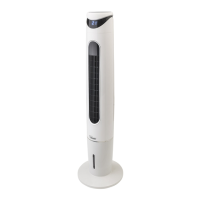
Warning: the appliance must only be used with the base correctly fitted.
• “ON/OFF” button to operate the appliance or deactivate it by switching it to
standby mode
• “COOL/ANION” button: operates the Cooling and Ionizer functions. Press the
button in repetition: each pressure varies the selected function: one press
activates only the Cool function, the second the Anion (Ionizer) function, the third
the Cool+Anion function and the fourth deactivates the functions.
“COOL”: cools the air by evaporating the micro-particles of H²O with which it is
enriched: the function's efficacy is directly proportional to the dryness of the air,
and decreases as relative humidity (RH) increases. The button switches the water
pump on and off; the corresponding symbol illuminates when it is operating.
"ANION" produces a flow of negative ions which neutralise the positive ions in the
air; the corresponding symbol illuminates when it is operating.
• “SWING” button: horizontal (left-right) swing. Press to activate and again to stop;
the corresponding symbol illuminates when it is operating.


 To Next Page