17
8. DO NOT store the product fully discharged for an extended
period. Otherwise, it will over discharge, which will lead to
permanent damage.
9. DO NOT attempt to charge or use the headset or Excellence
Strap With Battery if it does not turn on after attempted
charging, if it gets abnormally warm when it is used or
charged, or if the battery compartment is swollen,leaking
liquid,or smoking. 10. Always ensure that the headset and
Excellence Strap With Battery have adequate ventilation and
air flow while in use or charging. Covering the headset or
Excellence Strap with Battery with materials that
significantly affect air flow may affect performance and
poses a possible risk of fire or explosion.
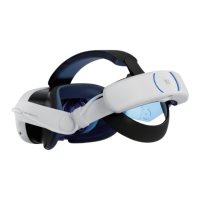
It is important to check the temperature of your headset and
Excellence Strap With Battery as some contact points-includ-
ing front surfaces-may get hot. It is normal for your headset
or Excellence Strap With Battery to feel warm to the touch
while in use or while charging. Prolonged skin contact with a
headset or Excellence Strap With Battery that is hot where it
touches the skin may produce skin discomfort or redness, or
low-temperature burns.If your headset or the Excellence
Strap With Battery feels hot to the touch or is uncomfortably
warm, stop using or charging it and allow it to cool down.
Headset Temperature


 To Next Page
 Loading...