Features for Users
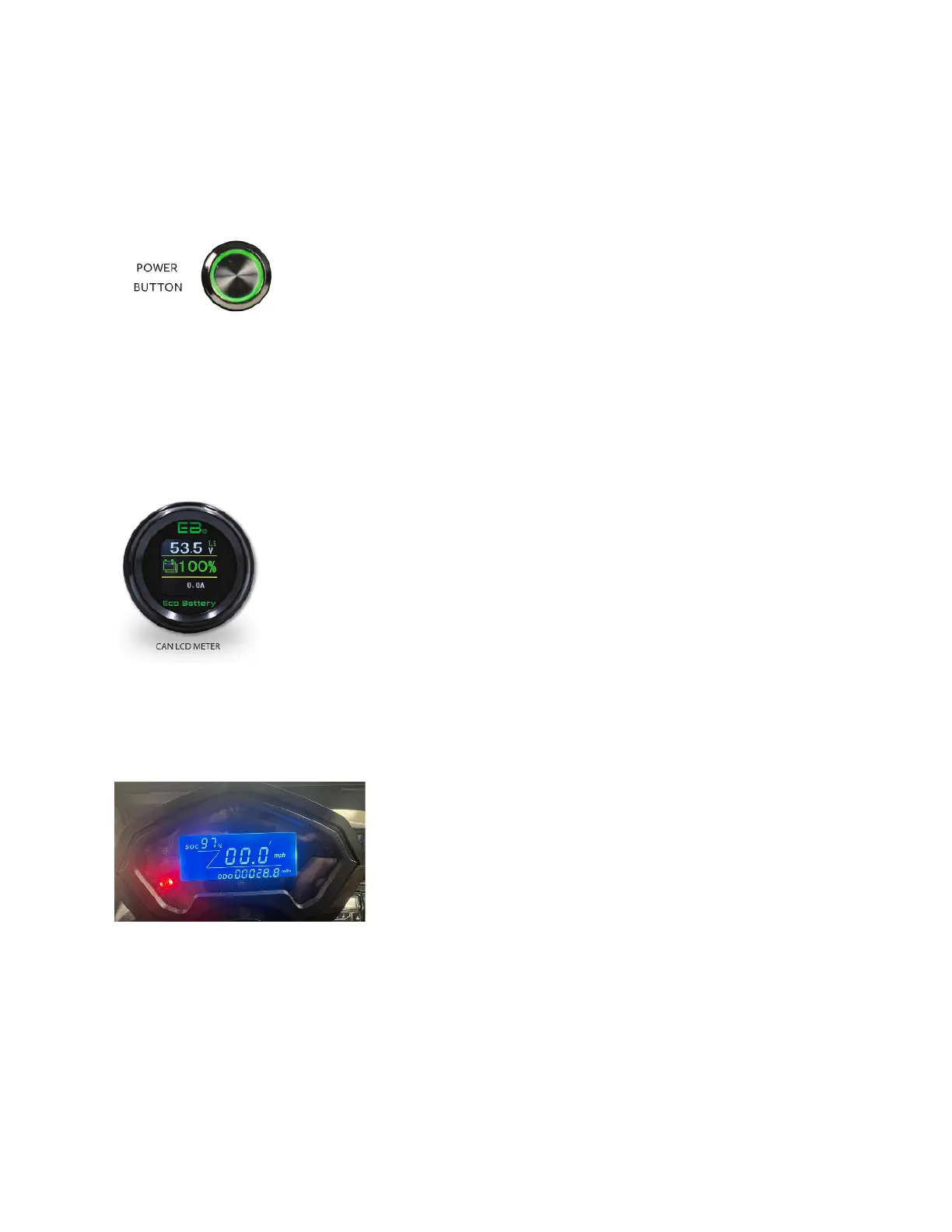
Power Button
Located on the side of the lithium battery. This feature is used for
powering the batteries. If the power is not on, the cart will not run. This
component is also important when performing maintenance to turn
power off. For more details, visit the user link found in the Lithium
Manual section.
There are different variations of lithium ion features in the Beyond editions. It’s important to note that the
state of charge feature will change depending on the charger in the cart.
For carts with a supported Eco charger, the state of charge meter is the EB LCD meter.
State of Charge Meter- ECO charger
Located on the front dash of your vehicle. This feature reads your battery
voltage and charge. Just as a fuel gauge in a car, the State of Charge
meter (SOC meter) lets you know in a percentage value how much power
you have left in your batteries before you need to recharge. For more
details, visit the user link found in the Lithium Manual section.
For Lithium batteries with the supportive charger being Lester, the state of charge reading will be on the
speedometer LCD meter.
State of Charge- Lester Charger
Located on the upper left hand side of the speedometer
display. This feature reads your current percentage left in the
lithium battery. For more details on your lithium battery
reading, download the lester app found in the Recharging
section in lead acid.



 To Next Page