9
2. PREPARE FOR TREATMENT
2.1 Place the device on a at and sturdy surface in close proximity to where the
paent will be resng.
2.2 Aach the power cord to the back of the pump and then plug it into a safe 120 VAC,
60 Hz outlet. A grounded outlet is not required.
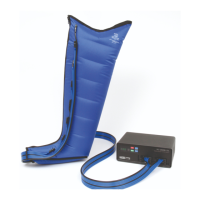
2.3 Note the LATCH CONNECTORS, numbered 1—4 and 5—8, located at the end of the
tubing on your garment (See Figure 2). With one hand squeeze the LATCH CON-
NECTOR with numbers facing up and push into the Receptor Ports (7) with matching
numbers located on the front panel of the device. You should hear a click when fully
engaged.
2.4 If two garments are used, remove the Blocker Bars (see Figure 3) and aach the
LATCH CONNECTORS from the second garment to the auxiliary ports (8).
2.5 Pung the garment on
LEG GARMENTS, unzip the garment gently all the way down to the boom and stop
(zipper does not separate). Place the foot at the boom end of the garment and pull
on garments straps to help guide the garment up and onto your leg. Once garment
is in place pull up the zipper while supporng the garment to wrap around the leg.
ARM GARMENTS, slide the arm through the internal cavity of the garment.
Note: Do not wear the garments directly over skin. Always wear light clothing
underneath garments for hygienic reasons and to avoid irritaon. It is
recommended that light bandages, clean hosiery or stockinees be worn
under garments. Clothing should be free of zippers, buons or other items that
could rub and chafe the skin or damage the garment.
3. Turning Pump On
3.1 Seat yourself comfortably in a reclined posion, within easy reach of the pump. Legs
should be elevated (see photo on front page).
3.2 Powering on your device - Press the “Power On/O” (1) buon to turn your pump on
and o.
3.3 When rst turned on, the LED Display (5) will show the total hours the pump has
been used. Aer 5 seconds, the LED display shows which mode your pump is set to,
aer which the pump will start to blow air. The air pressure will be the same as the
previous treatment. Factory default pressure is 50 mmHg in the chamber #1, de-
creasing to 43 mmHg in chamber #8. To change the
pressure, see Secon 5.
3.4 As the pump starts to run through its cycle, the number that shows in the LED
Display (5) is the countdown mer. The SC-3008-DL includes a automac shuto
mer. To run the pump in connuous (unmed) mode, see Secon 6.
3.5 White operang in the Timed Shuto mode, it is possible to view the set pressure by
holding down the “Mode” buon. If you would like to toggle back to the countdown
mer, simple press the “Mode” buon again.


 To Next Page