Getting Started
2-8
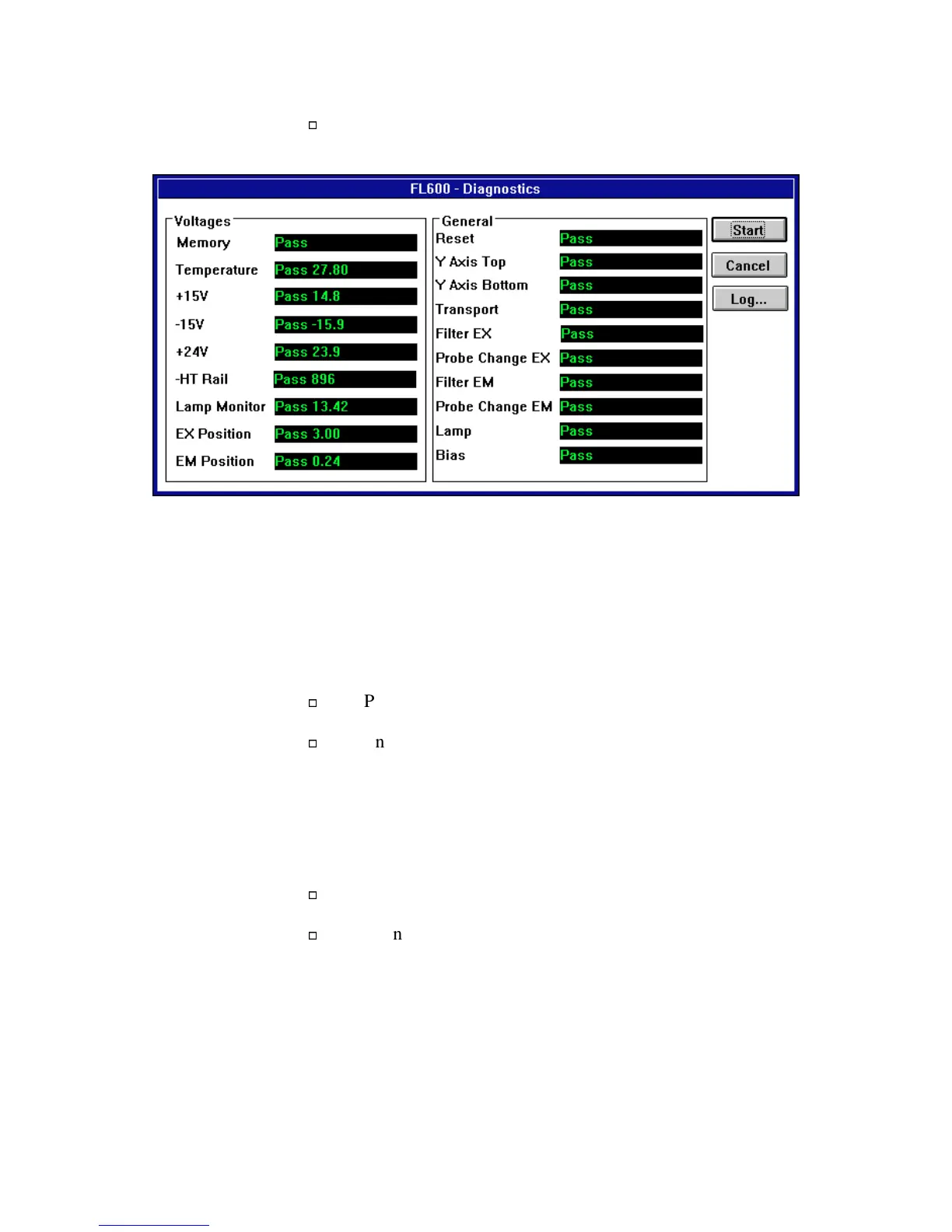
Once the FL600 has completed its self-diagnostic tests,
your screen should look similar to the one that follows:
Figure 2-6: FL600 Diagnostics Screen After Testing
:KDW7R'R,IWKH7HVWV)DLO
If any of the diagnostic tests should fail, click on the
Log...
button just
below
Cancel
. A log showing exactly what the communications between
the computer and the reader was will display on the screen.
Print the log by selecting the
File
menu and choosing
Print
.
Enter the requested details on the fax cover sheet (which
prints automatically with the log) and fax both sheets to
Bio-Tek’s Technical Assistance Center at (802) 655-3399
in the USA or +32-3-825-47-49 in Europe. Technical
Assistance personnel will review the problem and instruct
you on what to do next.
To close the log, select the
File
menu and choose
Close
.
Then, to close the diagnostics window and return to the
main screen, click on the
Cancel
button on the Diagnostics
window.


 To Next Page
 Loading...