4-6
Bio-Tek FL600
Step 15:
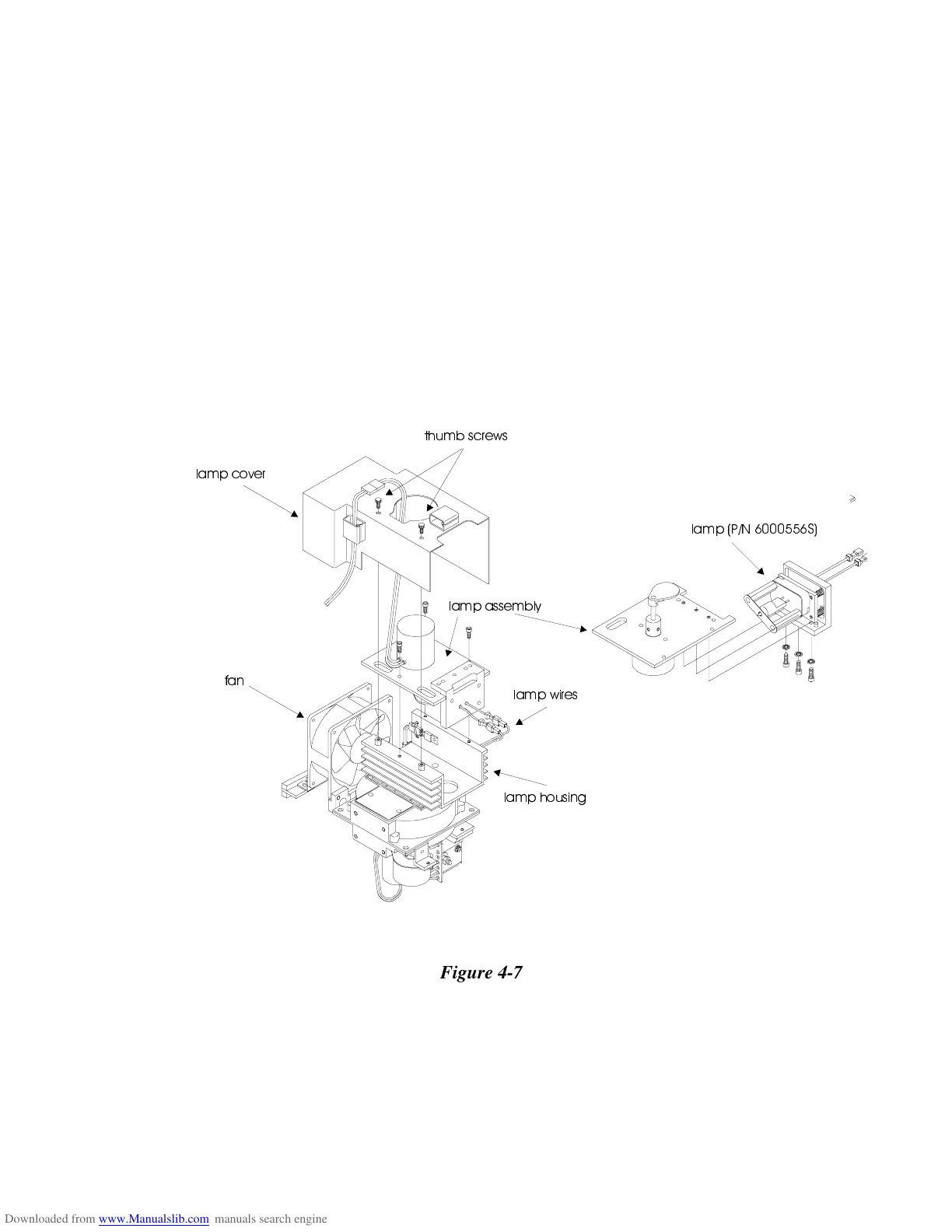
Attach the lamp cover to the lamp assembly, using the two thumb
screws. Be careful not to over-tighten them.
Step 16:
Reconnect the solenoid cable, and re-route the cables through the
cable harness.
Step 17:
Replace the reader cover, and attach it by screwing in the five
screws.
Step 18:
Plug in the power cable and the computer cable.
Step 19:
Turn on the FL600. The plate transport mechanism will
automatically move into the load position.
ODPS FRYHU
WKXPE VFUHZV
ODPS DVVHPEO\
ODPS K RXVLQJ
ODPS ZLUHV
ODPS 31 6
IDQ
Figure 4-7


 To Next Page