5400578 Rev. A
Fiber Shaft Protective Cap
Surgical Handpiece Fully Assembled Disconnect the Handpiece
Insert Fiber Tip after assembling the handpiece (turn clockwise)
Seating the Fiber Tip into the Handpiece
When the aiming beam is not present or
has a significantly asymmetrical shape:
►For tips that require initiation:
change the tip.
►For tips that do not require initiation:
change the tip; press
to bypass
initiation requirement.
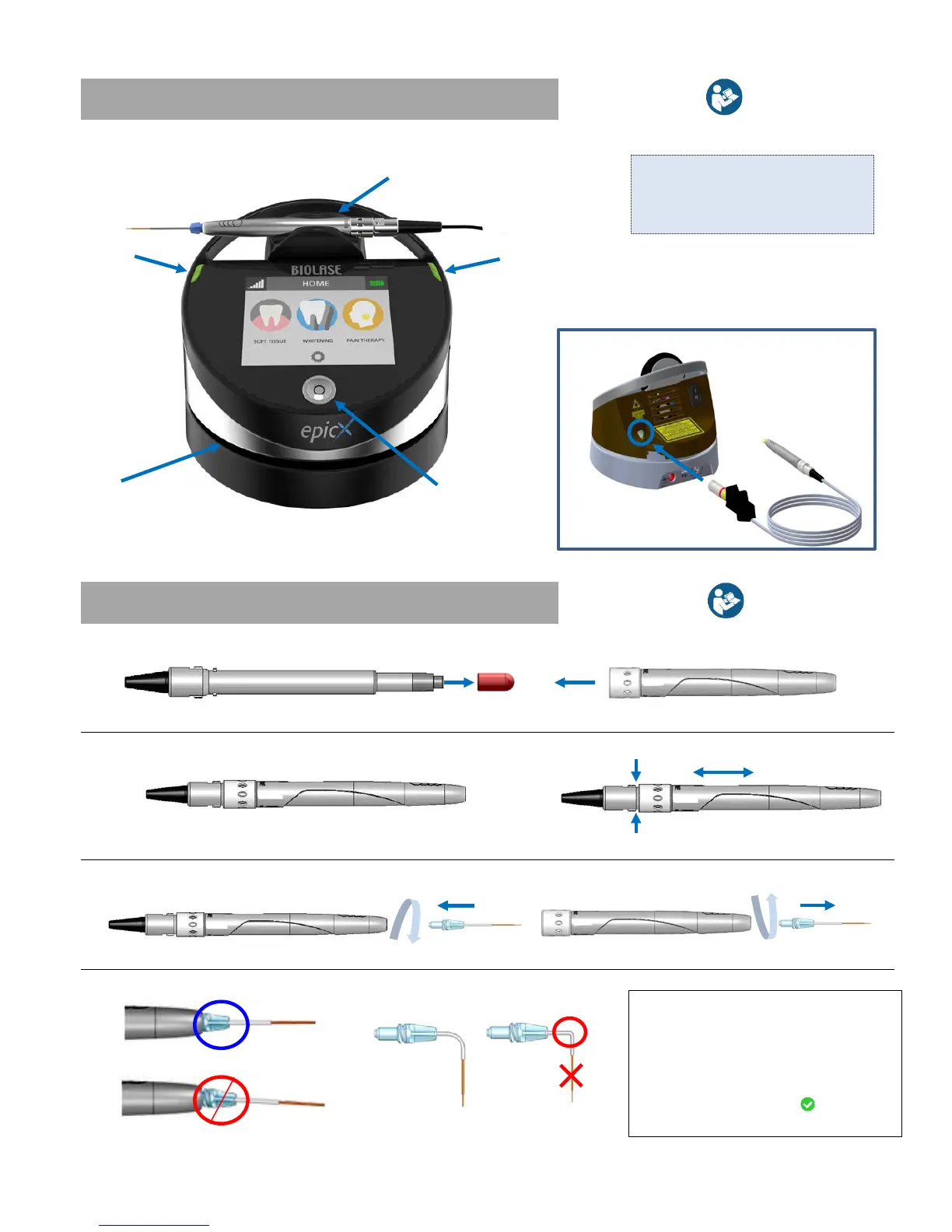
Green > READY
Blinking Green > Lasing
Blinking Blue > Pairing Active
The Laser Console arrives with the fiber already
inserted into the optical access port.


 To Next Page