W A R N I N G :
Plastic film can be dangerous. Toavoid danger of suffocation, keep away from babies and children.
How To Put It Together
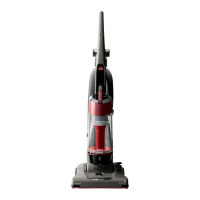
The only tool you’ll need to assemble your vacuum cleaner is a screwdriver.
Attach Handle To Vacuum
1. Locate the vacuum Handle and remove the screw packet taped to the base of the Handle.
2. Stand the vacuum upright and slide the base of the Handle firmly into the grooves at the top of
the vacuum body.
3. Check to be sure the Handle is fitted to the vacuum body. If there is a gap in front, continue to
push firmly until the Handle is flush.
4. Insert one screw provided from the screw packet into the existing hole. Tighten securely with a
screwdriver.
Attach Vacuum Hose and Tools
1. Position the Hose Assembly on the back of the vacuum as shown.
2. Attach the Hose with the remaining two screws from the packet. Tighten securely with a
screwdriver.
3. Grasping the Quick Reach Handle, slide the end of the Hose Wand onto the suction intake
opening. Snap the Hose into the Hose Clip.
NOTE: The Powerfoot will not operate effectively unless the hose wand is firmly attached to the
suction intake opening.
4. Slide the Extension Wand and the Crevice Tool together into the storage clip as shown.
5. Slide the Dusting Brush Tool into the storage clip as shown.



 To Next Page
 Loading...