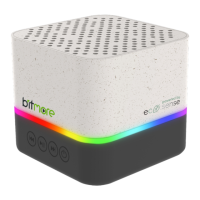
Charging the LED Pulse:
Connect the Micro USB end of the supplied cable (or use another authorised cable) to the
Micro USB port on the LED Pulse
Connect the USB end to a mains adaptor (not supplied)
Charge the LED Pulse for appox 2-3 hours (you will see a red light whilst charging) or until the
red light switches o.
Connecting to Bluetooth:
Press the power button (6) to turn on the speaker
Ensure that your device has Bluetooth switched on
Search for and select “LED Pulse” -
You will see a quick blue flashing light whilst the LED Pulse and your device pairs.
Once connected, the blue light will turn solid
Use the buttons on the LED Pulse to control your audio experience
Micro SD/TF Card Audio:
Insert your Micro SD/TF card into the slot (5) with the contact surface facing downwards –
make sure to take extra care to insert it the correct way round, and do not force it. You could
damage your Micro SD/TF card or the LED Pulse.
Playback will automatically start.
Use the buttons on the LED Pulse to control your audio experience
SAFETY INFORMATION:
DO NOT place any metals or mental objects (including a device case/cover that has metal
components) on your device or this product whilst in use and connected to a power source. You
risk potential electrical shocks, static or other more dangerous incidents such as fire or death
DO NOT leave your device connected to this product when not in use or when charging
is complete
DO NOT cover this product or your device when in use
DO NOT expose this product to heat sources (including fire or direct sunlight)
DO NOT use or expose this product or your device to areas of high humidity, any liquids, gels or
aerosols or heavy dust, keep it dry and clean If this product encounters any liquid, immediately
unplug the product from any connected power sources or devices
DO NOT disassemble or modify this product – this could cause risk of injury, death,
or damage to property
BM-BT5WEC LED PULSE SPEAKER | 2


 To Next Page
 Loading...