NERDAXE
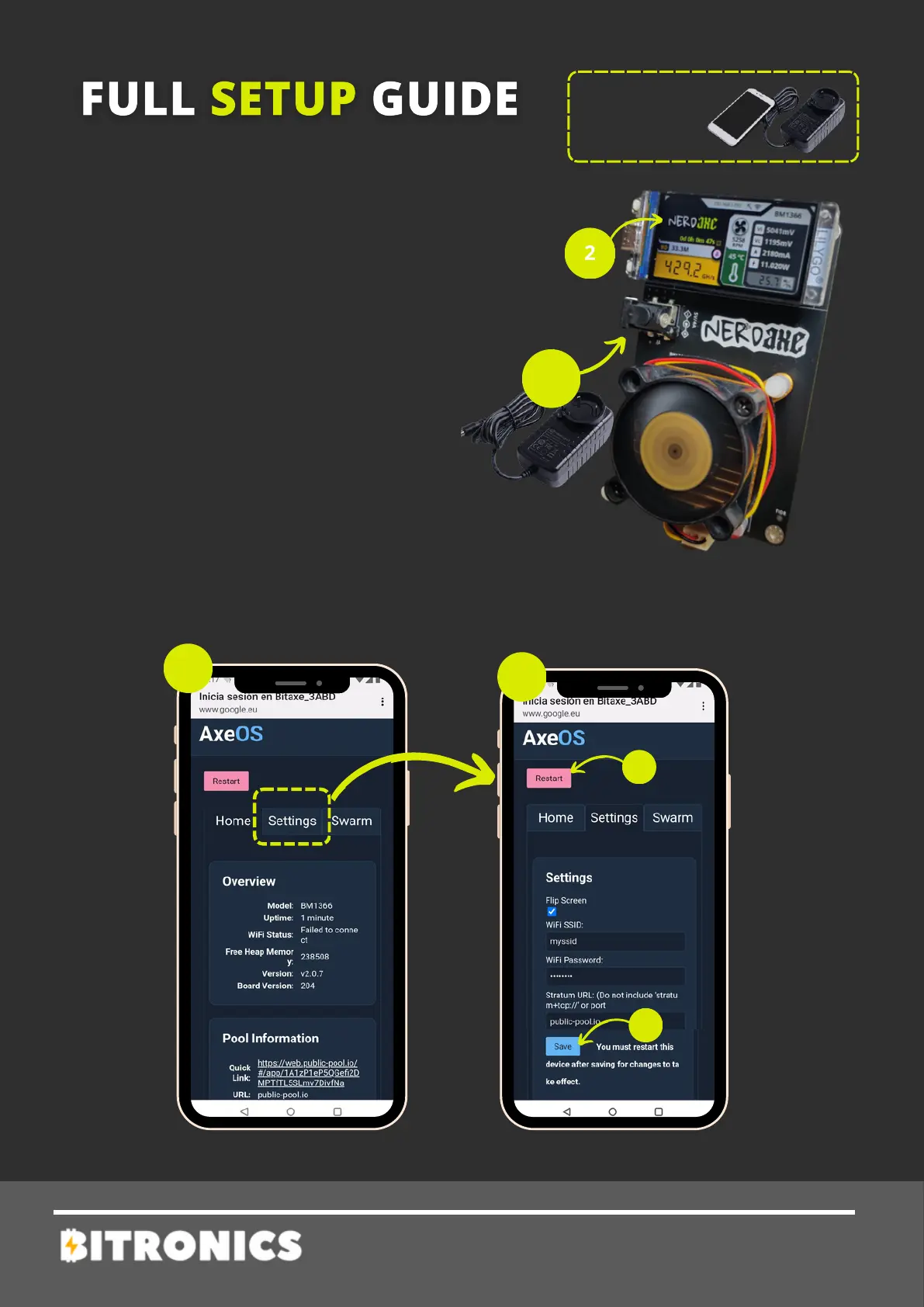
2 - Wait until the text "Connect to
ssid: Nerdaxe_XXXX_XXXX" appears
on the screen, and then from a mobile
phone search for the Nerdaxe_XXXX
wifi network and connect to it.
1 - Power up your NerdAxe with its
power adapter (5V /4A). Important:
Don’t use any other power adapter.
3 - Once connected, the following
menu will be shown (3).
Click on Settings to setup.
TOOLS
NEEDED
4 - Set your mining settings and then (5) press Save and Restart.
After this Nerdaxe will start working.


 To Next Page