Need help?
Do you have a question about the Bkool Smart Bike and is the answer not in the manual?
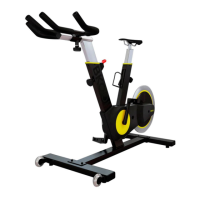
Secure stabilizer bars to the base using M8x20 screws and a hex key.
Thread L and R pedals onto spindles using the provided wrench.
Insert and adjust seat post height, locking it with the knob.
Insert and adjust handlebar stem height, locking it with the knob.
Pair the Smart Bike and heart rate monitor with the simulator.
Ensure internet connection, plug in the bike, and connect to the simulator.
Log into the simulator, place your phone on the stand, and select a session.
Ensure bike is plugged in and connected via Bluetooth or ANT+.
 General
| Resistance | Magnetic |
|---|---|
| Connectivity | Bluetooth, ANT+ |
| Power Source | Electric |
| Power Supply | AC Adapter |
| Type | Smart Bike |
| Compatibility | Zwift, TrainerRoad |
| Features | Adjustable seat and handlebars |
| Maximum User Weight | 120 kg |
| Weight Capacity | 120 kg |
| Bike Type | Indoor Cycling Bike |

 To Next Page