12
ENGLISH
(Original instructions)
Allow the tool to stop rotating before setting it down.
Use
Warning! Let the tool work at its own pace. Do not overload.
u Carefully guide the cable in order to avoid accidentally
cutting it.
u Be prepared for a stream of sparks when the grinding or
cutting disc touches the workpiece.
u Always position the tool in such a way that the guard
provides optimum protection from the grinding or cutting
disc.
Switching on and off
u To switch the tool on, press the on/off switch (1).
u To switch the tool off, release the on/off switch (1).
Warning! Do not switch the tool off while under load.
Hints for optimum use
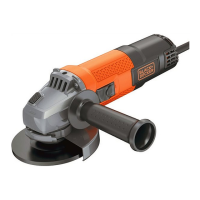
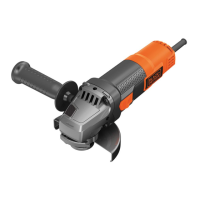
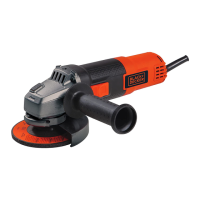
u Firmly hold the tool with one hand around the
side handle
and the other hand around the main handle.
u When grinding, always maintain an angle of approx. 15°
between the disc and the workpiece surface.
Maintenance
Your BLACK+DECKER corded/cordless appliance/tool has
been designed to operate over a long period of time with a
minimum of maintenance. Continuous satisfactory operation
depends upon proper tool care and regular cleaning.
Warning! Before performing any maintenance on corded/
cordless power tools:
u Switch off and unplug the appliance/tool.
u Or switch off and remove the battery from the appliance/
tool if the appliance/tool has a separate battery pack.
u Or run the battery down completely if it is integral and then
switch off.
u Unplug the charger before cleaning it. Your charger does
not require any maintenance apart from regular cleaning.
u Regularly clean the ventilation slots in your appliance/tool/
charger using a soft brush or dry cloth.
u Regularly clean the motor housing using a damp cloth. Do
not use any abrasive or solvent-based cleaner.
u Regularly open the chuck and tap it to remove any dust
from the interior (when tted).
Mains plug replacement (U.K. & Ireland only)
If a new mains plug needs to be tted:
u Safely dispose of the old plug.
u Connect the brown lead to the live terminal in the new
plug.
u Connect the blue lead to the neutral terminal.
Warning! No connection is to be made to the earth terminal.
Follow the tting instructions supplied with good quality plugs.
Recommended fuse: 13 A.
Troubleshooting
Problem Possible cause Possible solution
Unit will not
start.
Cord not plugged
in.
Cord or switch is
damaged.
Plug tool into a
working outlet.
Have cord or switch
replaced at a
BLACK+DECKER
service center or
authorizedservicer.)
Grinding and cutting accessory chart
Grinding Wheels
Type 27 guard Type 27 guard
Unthreaded backing ange
Type 27 hubbed wheel
Type 27 depressed center
wheel
Threaded clamp nut


 To Next Page
 Loading...