8
ENGLISH
Maintenance
Your Black & Decker corded/cordless appliance/
tool has been designed to operate over a long
period of time with a minimum of maintenance.
Continuous satisfactory operation depends upon
proper tool care and regular cleaning.
Warning! Before performing any maintenance on
corded/cordless power tools:
♦ Switch off and unplug the appliance/tool.
♦ Or switch off and remove the battery from
the appliance/tool if the appliance/tool has
a separate battery pack.
♦ Or run the battery down completely if it is
integral and then switch off.
♦ Unplug the charger before cleaning it. Your
charger does not require any maintenance
apart from regular cleaning.
♦ Regularly clean the ventilation slots in your
appliance/tool/charger using a soft brush or dry
cloth.
♦ Regularly clean the motor housing using
a damp cloth. Do not use any abrasive or
solvent-based cleaner.
♦ Regularly open the chuck and tap it to remove
any dust from the interior (when fi tted).
Removing the guard (fi g. A)
Warning! Remove the guard for servicing
purposes only. Always re-fi t the guard after
fi nishing servicing.
♦ Insert small pins into the holes (9) at either
side of the bracket (8) and pull the guard (4)
forward.
♦ Remove the pins and take the guard off the
tool.
Mains plug replacement (U.K. & Ireland only)
If a new mains plug needs to be fi tted:
♦ Safely dispose of the old plug.
♦ Connect the brown lead to the live terminal in
the new plug.
♦ Connect the blue lead to the neutral terminal.
Warning! No connection is to be made to the earth
terminal. Follow the fi tting instructions supplied
with good quality plugs. Recommended fuse: 5 A.
Troubleshooting
If the tool does not operate correctly, check the
following.
Fault Possible cause Action
Tool will not start. Blown fuse. Replace fuse.
Tripped RCD. Check RCD.
Mains lead not
connected.
Check mains
supply.
Protecting the environment
Separate collection. This product must not be
disposed of with normal household waste.
Should you fi nd one day that your Black & Decker
product needs replacement, or if it is of no further
use to you, do not dispose of it with household
waste. Make this product available for separate
collection.
Separate collection of used products and
packaging allows materials to be recycled
and used again. Re-use of recycled mate-
rials helps prevent environmental pollution
and reduces the demand for raw materials.
Local regulations may provide for separate
collection of electrical products from the
household, at municipal waste sites or by the
retailer when you purchase a new product.
Black & Decker provides a facility for the collection
and recycling of Black & Decker products once
they have reached the end of their working life. To
take advantage of this service please return your
product to any authorised repair agent who will
collect them on our behalf.
You can check the location of your nearest
authorised repair agent by contacting your local
Black & Decker offi ce at the address indicated
in this manual. Alternatively, a list of authorised
Black & Decker repair agents and full details of our
after-sales service and contacts are available on
the Internet at: www.2helpU.com
Technical data
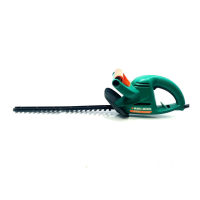
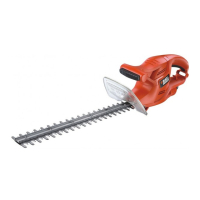
GT90 GT100 GT110 GT115
TYPE 3 TYPE 3 TYPE 3 TYPE 3
Input voltage V
AC
230 230 230 230
Power input W 380 400 420 420
Blade strokes
(no load) min
-1
1,900 1,900 1,900 1,900
Blade length cm 42 42 50 55
Blade gap mm 16 16 16 16
Blade brake time s < 1.0 < 1.0 < 1.0 < 1.0
Weight
(excl. supply cord) kg 2.2 2.2 2.3 2.4



 To Next Page
 Loading...