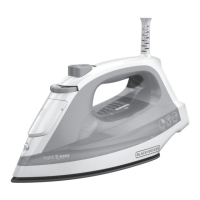
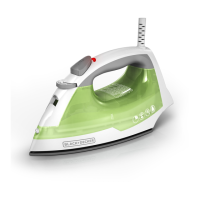
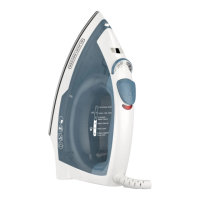
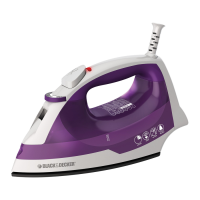
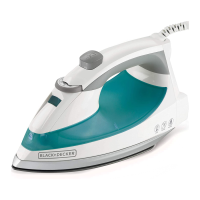
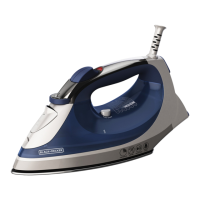
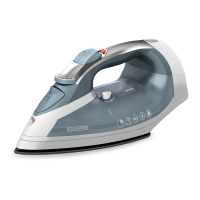
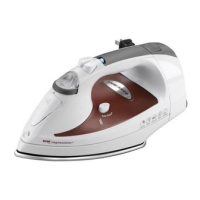
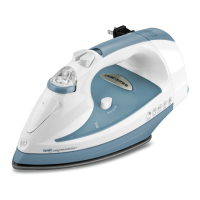
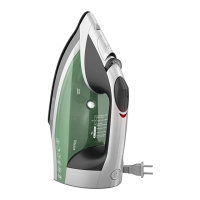
Product may vary slightly from what is illustrated.
9
@
@)
CD
1. Spray nozzle
2.
Water-fill
cover
3. Variable steam selector
4. Steam button
5.
Spray button
6.
Power indicator light
7.
Comfort Grip® handle
8. 360° pivoting cord
9. Heel rest
10. Fabric-select dial
11. Water tank
12. Auto
Clean® button
13. Soleplate
How to Use
This product is for household use only.
GETTING STARTED
• Remove any labels, stickers
or
tags attached to the body
or
soleplate of the iron.
• Please
go
to www.prodprotect.com/applica to register your warranty.
Note:
Use
ordinary tap
water
for ironing.
Do
not use
water
processed through a
home softening system.
Important: For optimum performance, let the iron stand for 90 seconds before
beginning
to
iron.
Tip:
If unsure of a garment"s fiber, test a
small
area
(on
an
inside seam
or
hem)
before ironing.
FILLING
WATER
TANK
1.
With iron
on
a flat surface with soleplate down
or
tilted at a 45-degree angle, open
the
water-fill
cover.
2.
Using a clean measuring cup, pour
water
into opening
until
water
reaches the
MAX
level
mark
on
the side of the
water
tank.
Do
not overfill.
AUTOMATIC SHUTOFF IN 3 POSITIONS
1. The iron
will
automatically
turn
to stand
by
mode
after
30
seconds of inactivity
if
left
on
its soleplate
or
on
its side. If left vertically
on
its heel rest, it
will
turn off
after
8 minutes.
2. The red power indicator light starts blinking
to
let
you
know the iron has stopped
heating.
Important: The iron
will
have turned off but
will
still
be
hot.
3.
Once
the iron is picked
up,
an
internal
motion sensor is activated and the iron
starts heating again.
4.
Allow iron
to
reheat completely before resuming ironing.
SELECTING FABRIC SETTING
1.
Read
fabric labels to help determine fabric type to
be
ironed.
2.
Once
you
determine the fabric type, ·
turn
the fabric-select dial to select the
appropriate fabric setting.
Important: Always stand the iron
on
its heel when powered
on
but not
in
use.
USING VARIABLE STEAM
Note:
Be
sure the
water
tank is filled.
1. This iron produces steam at settings 4 through
6.
Turn the fabric-select dial to the
appropriate setting
for
your fabric.
2.
Push the variable steam selector to desired amount of steam. The higher the
setting selected, the more powerful the steam.
Note: For
no
steam, the variable steam selector should
be
set to
the~
STEAM BUTTON
Note:
Be
sure the
water
tank is filled.
1.
With the
water
tank filled to the
MAX
mark,
turn
the fabric select dial to
appropriate setting (between 4 and
6)
and let iron stand
on
its heel rest about
90
seconds.
2.
Press the steam button to generate a burst of steam. For best performance, leave
an
interval of 5 seconds between bursts.
Note:
On
first use, pump the steam button several times.


 To Next Page
 Loading...