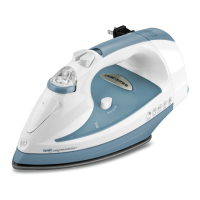
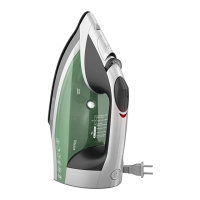
HORIZONTAL STEAM IRONING
1.
Fill
water reservoir to
MA
X
Line
.
2.
Turn the fabric select dial to select desired setting.
3.
Set the variable steam selector to desired amount of steam.
4.
When finished ironing,
turn
the fabric-select dial to the
Lowest
setting. Make sure
the variable steam selector is set to
dry~
and unplug the iron.
5. Stand the iron
on
its heel rest and allow it to cool off.
VERTICAL STEAMING
Use
to remove
wrinkles
or
creases from hanging garments
or
drapes.
1. Turn the fabric-select dial to select desired setting for the fabric to
be
ironed.
2. Hold iron close to, but not touching fabric.
3.
Pull
fabric taut with your free hand and press the steam button
as
you
move the
iron over the fabric.
Important:
Do
not bring iron too close to hand holding fabric to avoid heat.
4.
For best performance,
Leave
an
interval of 5 seconds between bursts.
SPRAY BUTTON
Note:
Be
sure the
water
tank is filled.
1.
Press the spray button to generate a spray of
water
.
Note:
On
first
use, pump the spray button several times.
Important:
Do
not spray silk.
DRY IRONING
1. Set the variable steam selector
to~
.
2.
Turn the fabric-select dial to appropriate setting for your fabric.
3. When finished ironing, make sure to unplug the iron.
Important: Always stand the iron
on
its
heel
rest when powered
on
or
not
in
use.
Care and Cleaning
This product contains
no
user serviceable part
s.
Refer
ser
vice
to
qualified
se
rvice
personnel.
CLEANING
1. Make sure iron
is
unplugged and has cooled completely. Wipe the soleplate
and outer surfaces with a soft cloth dampened with
water
and mild household
detergent. Never use abrasives, heavy-duty cleansers, vinegar
or
scouring pads
that may scratch
or
discolor the iron.
2.
After
cleaning, steam iron over
an
old cloth to remove any residue from the
steam vents.
AUTO
CLEAN® SYSTEM
To
keep the steam vents free of any buildup, follow these instructions about once a
month.
1.
Fi
ll
the
water
tank
well
below
MAX
Line.
Plug
in
the iron.
2. Select fabric setting 6
on
the fabric-select dial and stand the iron
on
its
heel rest.
3. Wait 2 minutes for the iron to heat fully, then unplug the iron.
4. Hold iron over a sink with the sole plate facing down.
5. Press the Auto
Clean® button.
Important: Be careful, as
after
several
seconds, hot
water
and steam
will
come
out of the steam vents.
6. Continue to hold Auto Clean ® button
until
all
the
water
has emptied. If
necessary, move iron side-to-side and front-to-back.
7. When finished, release the button, stand the iron
on
its heel rest and plug
it in. Heat for about 2 minutes to dry out any remaining water.
STORING
YOUR
IRON
1. Unplug the iron and
Let
it cool completely.
2.
Check that the fabric-select dial
is
set
to~
.
3. Store iron
on
its heel rest.


 To Next Page
 Loading...