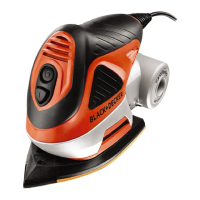
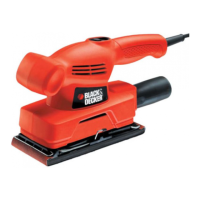
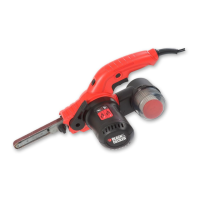
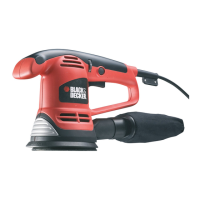
10
Autoselect
®
dial application chart
Automatic brake system (ABS)
This tool has an automatic brake system. When the tool is
not on the work surface, this feature keeps the speed of the
disc below the speed of the motor. When the tool is switched
off, the disc will stop very quickly.
Emptying the dust canister (fig. P & Q)
The dust canister (9) should be emptied after every ten
minutes of use.
Pull the dust canister (9) to the rear and off the tool.
Remove the cover (24) by twisting it counter clockwise.
Hold the dust canister (9) with the filter (25) facing down
and shake the canister to empty the contents. Shake the
cover (24) to empty the contents.
Refit the cover (24) onto the dust canister, twisting it
clockwise until it locks into place.
Refit the dust canister (9) onto the tool.
Cleaning the dust canister filter
The dust canister filter is re-usable and should be cleaned
regularly.
Empty the dust canister (9) as described above.
Pull the filter (25) off the dust canister.
Shake off excess dust by tapping the filter into a dustbin.
Warning! Do not brush or use compressed air or sharp
objects to clean the filter. Do not wash the filter.
Replace the filter (25).
Refit the cover (24).
Refit the dust canister (9) onto the tool.
Accessories
The accessories supplied with your sander depend upon the model that you have purchased. All the accessories listed below
are available in our Piranha
®
range. If you require an accessory that is listed below but is not supplied with your sander please
visit our website at www.blackanddecker.eu.
Setting Application Recommended base Base colour Speed setting
Small area sanding.
Allows you to easily get into tight
areas
Detail finger attachment Orange (1) Low
Large sanding.
Allows you to get up to the edge
of a 90° angle
Large detail base, tip facing
forward
Blue (1) Low
Flush sanding.
Allows you to get up to the edge
of a 90° angle
Flush sanding base, 90°
edge facing forward.
Blue (2) High
Large area sanding.
Allows you to remove the most
amount of paint quickly.
Random orbit base Green (2) High
Item Description Purpose
Large detail sanding base (6). For medium to large areas. The large detail base can be
used to sand into corners and to the edge of the
workpiece.
Random orbit sanding base (5). For large areas. The random orbit base can be used for
curved surfaces and when you need a high-quality finish.
Detail finger (8). For small hard-to-reach areas. The detail finger can be
used for light sanding and for sanding into corners.


 To Next Page
 Loading...