3 of 3
11/16/2007
#23362
Any-to-Any Mode enables communication between
connected ports. If you need to connect a modem, terminal
server, or local PC to a number of asynchronous control ports,
you’d use this mode.
Passive Mode enables connection to other ports but doesn’t
allow access to command functions.
A third port operation mode, Buffer Mode, enables you
to collect data from up to 14 different devices and store that
data for later retrieval. Each port on the Port Manager includes
32K of buffer memory. Use this mode, for example, to get a
detailed snapshot of important data or error messages that
are sent to a specific port when you’re not there to monitor
communications.
To configure your modem connections, just access the Serial
Console Port Manager’s Modem Mode. In this mode, you can
define hang-up, reset, and initialization strings. Ports set in
Modem Mode are password-protected and use a data timeout
to reset themselves if the modem line disconnects or locks up.
You can also create hunt groups with the Serial Console Port
Manager by assigning identical or similar names to two or more
ports. The Port Manager can then scan a group of ports and
connect to the first available port in the group.
The Serial Console Port Manager also has a convenient
password feature that can restrict access to specific ports (each
individual port can be assigned its own unique password up
to 16 characters long) or restrict access to command functions.
You can set the Port Manager up so an administrator has access
to all commands and users are afforded access to basic
commands only.
To send commands to connected ports on the Serial Console
Port Manager, simply use a standard communications program.
Through this interface, you can also get detailed infor-
mation on each port. Just go to the Port Manager’s Port
Diagnostic Screen, which shows each port’s user-defined name,
connection status, and baud rate, as well as the data bits,
parity, and stop bits selected for each port. The screen also
shows flow control and mode of operation for each port and
the amount of data currently stored in the buffer for a
particular port.
To go further and learn the specifics of individual ports,
just pull up a Port Parameters Screen, which lists all defined
parameters for each port.
Once you’ve configured the Serial Console Port Manager
to fit your application, parameters and options can be copied
to other Port Managers or sent to an ASCII text file and saved
for future retrieval. If configuration is altered or deleted,
parameters can be reloaded via your communications program.
If AC power to the Serial Console Port Manager is lost or
interrupted, the unit’s nonvolatile memory will retain your
defined parameters and port connections.
TECH SPECS
Break Handling — Accept Break or Refuse Break (user-selectable)
Communications Chip — 16C654 UART with FIFO and flow control
Data Format — ASCII: 7 or 8 data bits; even, odd, or no parity;
1 or 2 stop bits (user-selectable)
Data Rate — Any standard rate from 300 bps to 115.2 kbps
(user-selectable)
Flow Control — X-ON/X-OFF, RTS/CTS, both, or none (user-selectable)
Memory — 512 KB of statically allocated nonvolatile SRAM buffer
memory stores parameters and captured data
Modem Control — User-defined password, initialization, and hang-up
strings
Processor — Motorola
®
68EC000, 16-bit, 12-MHz
Protocol — Asynchronous
Timeout — No-activity timeout disconnects port: 1, 5, 10, 15, or
30 seconds, or 1, 5, 15, 30, or 90 minutes (user-selectable)
User Controls — (8) DIP switches (“Setup Switches”) determine default
parameters for baud rate, flow control, response-message format,
and command echo
Ventilation — Through side vents; maintain adequate clearance
at all times
Interface — EIA/TIA RS-232 serial, DTE, pinned according to TIA-574
Connectors — SW542A: (8) DB9 male;
SW544A-M-R3: (8) DB9 male, (1) RJ-11;
SW543A: (16) DB9 male
Indicators — Front-mounted LEDs: (10) for SW542A, (9) for SW544A-M-R3,
and (18) for SW543A: (1) Power On, (1) Ready, and (1) Data Activity
for each port
Temperature Tolerance — 32 to 113°F (0 to 45°C)
Humidity Tolerance — 10 to 95% noncondensing
Power — Through IEC 320 inlet: 115–230 VAC, 50–60 Hz, 5 watts
Size — 1.75"H (1U) x 17"W x 6.5"D (4.4 x 43.2 x 16.5 cm)
Weight — 8 lb. (3.6 kg)
Item Code
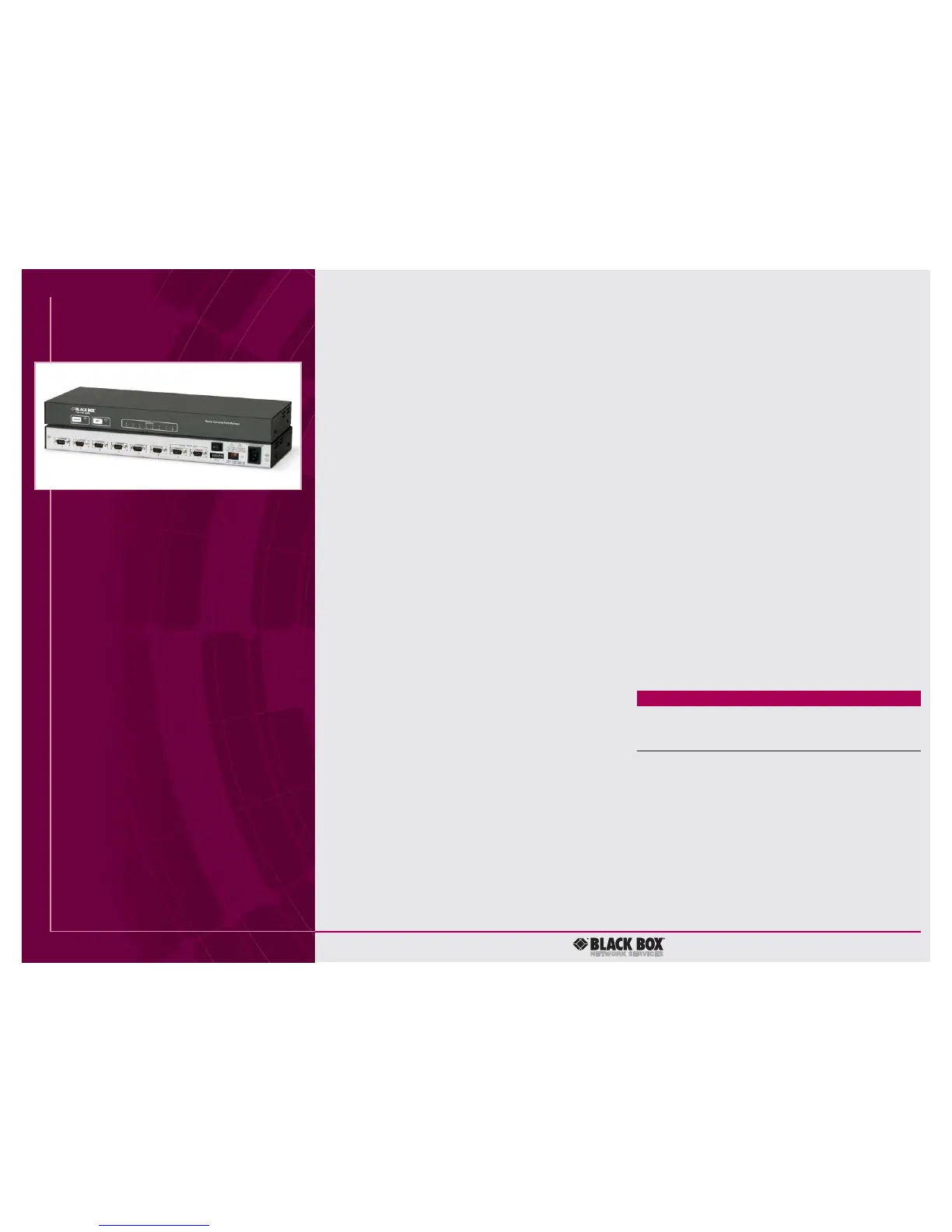
Serial Console Port Manager
8-Port SW542A
8-Port with Integral Modem SW544A-M-R3
16-Port SW543A
You might also need…
AT
®
Style Serial-Printer Cable, DB9 F to DB25 M
(specify length) EVMBPC
AT Style Modem Cable, DB9 F to DB25 M
(specify length) EVMBMC
AT Style Null-Modem Cable, DB9 F to DB9 F
(specify length) EYN257H-FF
Serial-Port Adapter, DB9 M to DB25 F FA520A-R5
RS-232 Data-Line Surge Protector
DB9 SP361A-R2
DB25 SP360A
Call Black Box Tech Support for help determining your
best options for AC-power backup and protection.
SW542A


 To Previous Page
 Loading...