* If you press and hold the Power button and Volume button of Black Shark 4/4 Pro
synchronously, the phone will enter the FASTBOOT mode. To exit this mode, please
press and hold the Power button.
Power button
Volume Button
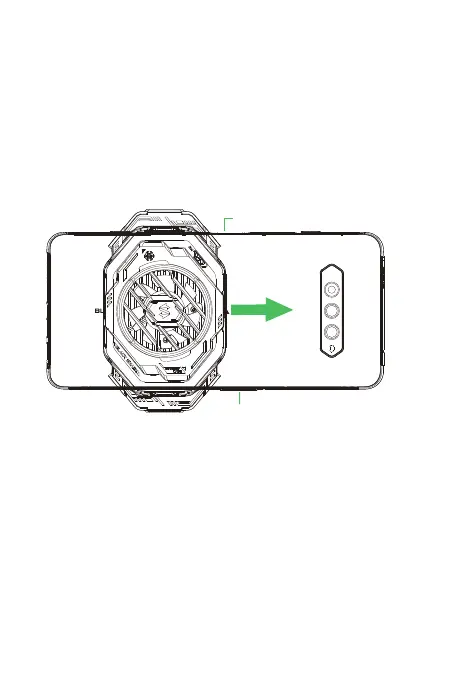
Slide to the middle
Special scene: Use the cooler with Black Shark 4/4 pro
Avoid the Power button and Volume button on the side of the phone and attach
the cooler to the back of your phone.
Slide the cooler to the middle of the phone and keep it as close as possible to
your phone. And make sure that the cooler arms will not press the Power button
and Volume button on the side of the phone.
2.
1.


 To Next Page