1. Download and install the APP.
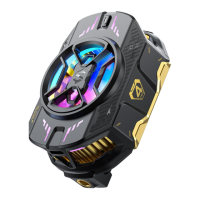
2. Install the cooler
• Before using, please remove the protective film on the bottom of the
cooler, fix the cooler on the back of the phone, and keep it as close as
possible. When installing, please avoid the buttons on the side of the
phone.
• Connect the charger and make sure the output power of the charger is
not less than 27W.
3. Switch on the cooler.
• Press and hold the on/off button, the RGB indicator will light up to indicate
that the cooler has been turned on.
• Click the button to quickly switch between Silent, Smart, Overclocking
cooling mode, long press again to turn off the clip.
• Aer power on, the cooler enters Bluetooth pairing mode. If no
Bluetooth connection has been made, the indicator light will flash for
30 seconds, and then its light effect will return to the user setting or
factory default mode, and the Bluetooth pairing mode will be on all the time.
4.(Optional)* Other settings.
• Turn on the Bluetooth of your mobile phone and connect the cooler in
Shark Arsenal APP.
• You can set the cooler light effects, cooling mode, check cooler's
temperature data, and firmware version update.
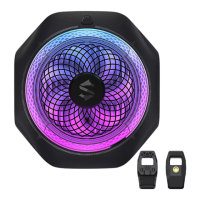
5.(Optional)* Mounting bracket for live streaming.
• Please use the standard bracket connector and connect the copper nut
of the cooler in a clockwise direction, you need to make sure to tighten
it to prevent it from falling off.
Configuring the cooler


 To Next Page
 Loading...