Action Call control button
Turn on mute Tap 1 time
When mute is turned
on, your headset
beeps periodically.
Turn off mute Tap 1 time
Ignore a call Tap 2 times
Redial the last phone
number
Tap 2 times
Common tasks
Action Call control button
Turn on pairing mode Press and hold for 5
seconds.
Cancel pairing mode Tap 1 time.
Clear pairing list Press and hold for 6
seconds while sliding
the power switch to
the On position.
Voice confirmations
Your headset helps confirm the actions you've
completed with short statements that you hear
through your headset.
Action Voice confirmation
Turned on the headset "Hello"
Turned on pairing
mode
"Pairing mode"
Connected headset
with your device
"Connected"
Ignored an incoming
call
"Call ended"
Turned on mute "Muted"
Turned off mute "Unmuted"
Switched between 2
calls
"Call swapped"
Redialed a phone
number
"Redialing last
number"
Action Voice confirmation
Ended a call "Call ended"
Bluetooth®
connection is no
longer active
"Disconnected"
Turned off the headset "Goodbye"
Charge the headset
Your headset comes partially charged and ready for
use. When the battery power level is low you hear
a voice prompt that says "Battery low". The rapid
charge feature lets you gain up to an additional 2
hours of talk time by charging for only 15 minutes.
1. Connect the small end of the micro-
USB cable or a car charger to the
charging port on the headset.
2. Do one of the following:
• Connect the large end of the micro-
USB cable to the USB power plug or
the USB port on your computer.
• Plug the car charger into your car's
power outlet.
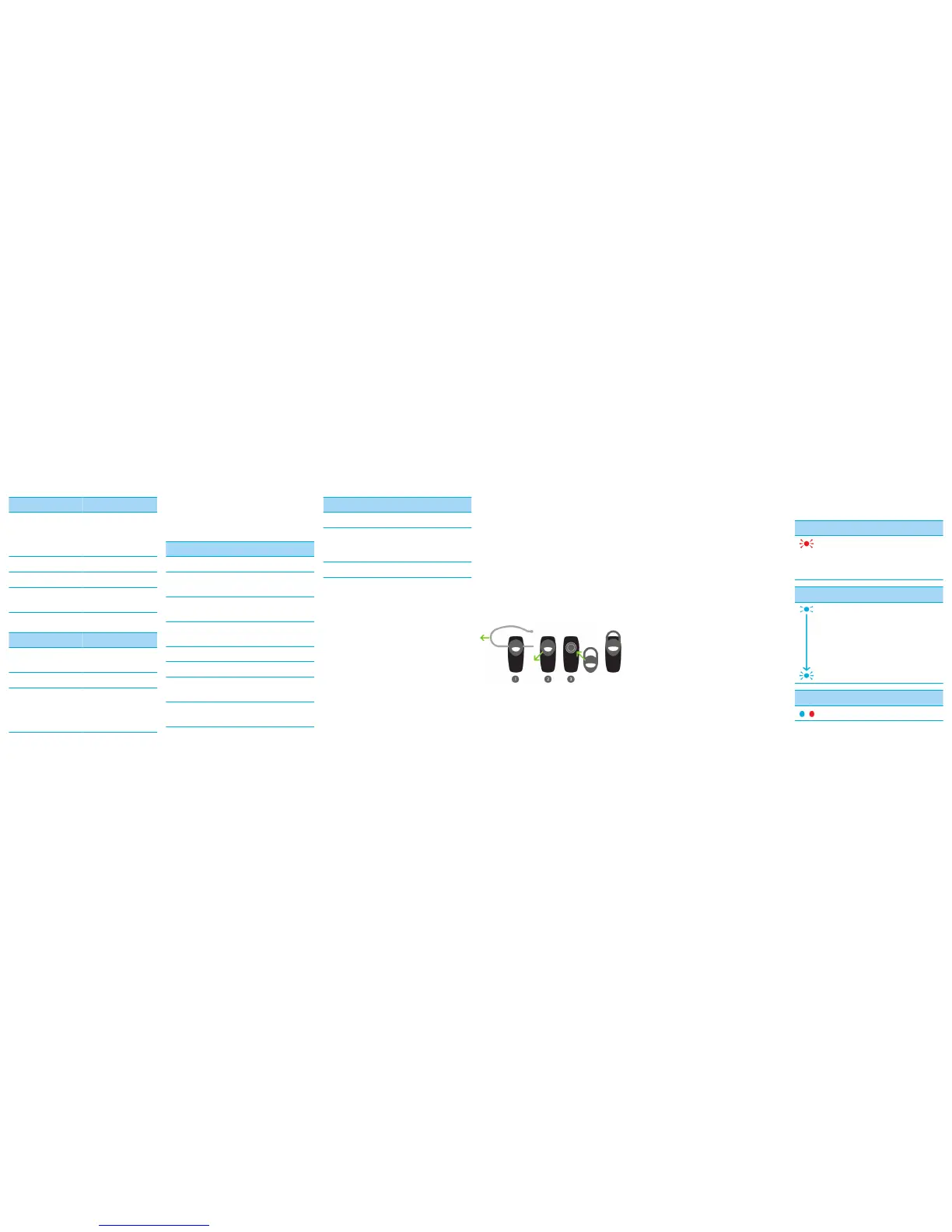
Change the ear piece
Try different combinations of the ear gels and the
ear hook to find your best fit.
1. If necessary, gently pull the ear hook
to remove it.
2. Gently pull off the ear gel at its edges.
3. Replace the ear gel with a new ear
gel.
About automatic volume control
When you use the headset for the first time, you
can use the volume controls on your BlackBerry
device to set the volume to a comfortable listening
level. When the noise level around you changes,
the headset is designed to increase or decrease the
volume to maintain your comfortable listening
level automatically.
LED notifications
Red LED
Slow flashes: microphone is muted
Quick flashes: not connected to the device
Quick flashes, followed by a pause: battery
power level is low
Blue LED
Flashing: connected to a call
1 slow flash: turned on and connected to
your device
2 quick flashes: incoming call
5 quick flashes: reconnecting with the last
device you paired with
Blue and red LED
Ready for pairing



 To Next Page
 Loading...