Maintenance
Thoroughly understand the maintenance of this pad to use the
pad more safely and effectively, and extend the service life of
the pad as much as possible.
Please follow the instructions in the manual to open the pad,
disassemble the accessories, and do not try other methods.
Please avoid falling, knocking or shaking your pad. Rough hand-
ling of the pad can cause the screen to rupture, damaging the
internal circuit board and the delicate structure.
Do not use chemical solvents or detergents to clean your pad.
Wipe the pad case with a soft cotton cloth dampened with
water or a mild soap.
Clean the lens with a clean, dry, soft cloth.
(Example: camera lens) and display.
If you encounter an abnormal image such as a crash during use,
the processing method is as follows: For a pad that cannot remove
the battery, please press and hold the power button for more than
12 seconds, the pad will be forced to restart (unlock the pad when
restarting)It can solve the general bug; for the pad that can remove
the battery, please remove the battery, then insert the battery and
restart it to solve the bug.
When the charger is not in use, please unplug it from the power
outlet. Do not connect the battery that has been fully charged to
the charger for a long time, as overcharging will shorten the battery
life.
7
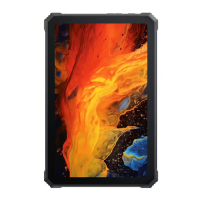
Tri-proof device performance test -
the dustproof and waterproof level of
this product has been certied as IP68
8
When doing the waterproof test, the water depth is within 1.5
meters, and the mobile phone is immersed in water within 30
minutes.
Anti-drop test: Height within 1m, and phone is falling itself.
Pressure test: Keep the ground flat and do not bear pressure
at a single point.
If you want to check your certification number, please
follow these steps: Settings - About Phone -
Certication.
9
Check your certication number





 To Next Page