Need help?
Do you have a question about the Blaupunkt ATOMIK and is the answer not in the manual?
Controls for switching modes, playback, and LED lights.
Details on charging port, microphone input, and power switch.
Details speaker size, battery, Bluetooth version, and inputs.
Guidance on how to charge the device and indicator lights.
Recommendations for maintaining the wireless speaker.
Contact details and required information for warranty claims.
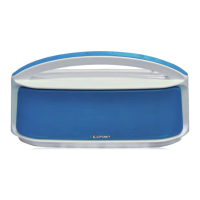
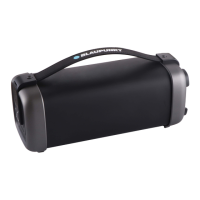
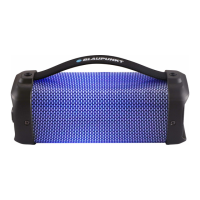
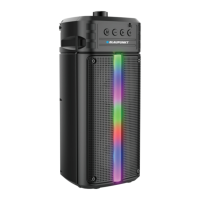
The Blaupunkt Atomik Party Boombox is a versatile wireless speaker designed for portable entertainment. It offers multiple connectivity options and features to enhance your audio experience, whether you're at home or on the go.
The boombox features a top-mounted control panel with clearly labeled buttons for easy operation. The main "M" (Mode) button allows you to switch between various input sources: Bluetooth (BT), TF Card, USB, LINE IN, and FM radio. A short press cycles through these modes, while a long press toggles the LED lights on and off, adding a dynamic visual element to your music.
For music playback, dedicated buttons are provided. The "previous track" button lets you navigate to the previous song in BT, TF card, or USB mode, and to the previous radio station in FM mode. The "play/pause" button controls music playback and, when long-pressed in FM mode, initiates an automatic search for radio stations. The "next track" button moves to the next song in BT, TF card, or USB mode, and to the next radio station in FM mode.
The device supports a wired microphone input via a 6.5mm jack, allowing you to use it for karaoke or public address. The "OFF/ON" switch powers the speaker on or off.
Bluetooth Connectivity: To connect via Bluetooth, power on the boombox or press the "M" (Mode) button until it enters BT mode. Then, on your Bluetooth device, search for available devices. The boombox will appear as "BLAUPUNKT PS15." Once successfully paired for the first time, the device will automatically reconnect to previously connected devices within approximately 10 seconds on subsequent uses. Note that the boombox can only connect to one Bluetooth device at a time.
USB and TF Card Playback: The boombox includes a USB port and a TF card slot. These inputs support MP3 and WAV format music files, allowing you to play your favorite tracks directly from a USB disk or a TF card.
FM Radio: The integrated FM radio allows you to tune into your preferred stations. Use the "previous track" and "next track" buttons to navigate between stations. A long press on the "play/pause" button will initiate an automatic search for radio stations.
Charging: The boombox is equipped with a built-in rechargeable battery. It charges via a DC 5V input. When the DC 5V cable is plugged in, an LED indicator lights up to show that the device is charging.
Microphone Input: The 6.5mm microphone input allows for wired microphone connection, making the boombox suitable for various events where a microphone is needed.
To ensure the longevity and optimal performance of your Blaupunkt Atomik Party Boombox, it is important to follow these care and maintenance guidelines:
Protection from Elements: Avoid exposing the unit to liquids, moisture, or high humidity, as this can damage the internal circuitry. Similarly, do not expose the unit to extremely high or low temperatures, as this can shorten the life of electronic components, degrade the battery, or distort plastic parts.
Cleaning: Do not use abrasive cleaning solvents to clean the unit. Instead, use a soft, dry cloth to wipe down the surfaces.
Physical Handling: Handle the boombox with care. Do not dispose of the unit in fire, as this can lead to an explosion. Avoid contact with sharp objects, which can cause scratches and damage. Do not let the unit fall onto the floor, as this can damage the internal circuit.
Disassembly: Do not attempt to disassemble the unit yourself, as this can cause damage if you are not a professional. Any repairs or internal maintenance should be performed by qualified personnel.
Storage and Transport: When transporting the unit, especially for warranty purposes, it is recommended to use the original packaging or other suitable protective packaging to prevent damage during transit.
By adhering to these guidelines, you can ensure that your Blaupunkt Atomik Party Boombox provides many years of enjoyable use.
 General
| USB Port | Yes |
|---|---|
| SD Card Slot | Yes |
| FM Radio | Yes |
| Bluetooth Range | 10 meters |
| AUX Input | Yes (3.5mm) |

 To Next Page