BTW-Ol
3.3 Connecting
O
BLAUPUNKT
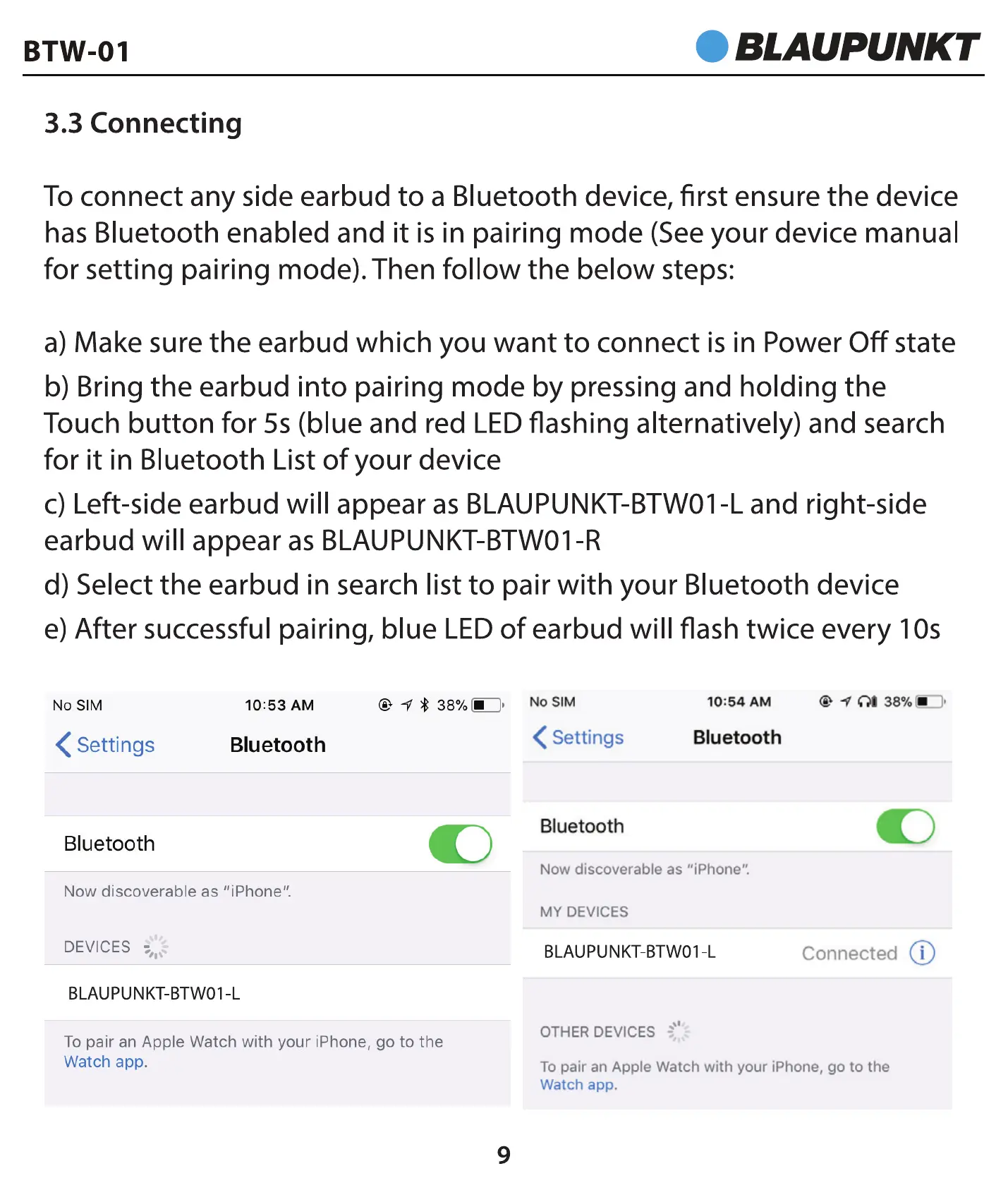
To connect any side earbud to a Bluetooth device, first ensure the device
has Bluetooth enabled and it is in pairing mode (See your device manual
for setting pairing mode). Then follow the below steps:
a) Make sure the earbud which you want to connect is in Power Off state
b) Bring the earbud into pairing mode by pressing and holding the
Touch button for 5s (blue and red LED flashing alternatively) and search
for it in Bluetooth List of your device
c) Left-side earbud will appear as BLAUPUNKT-BTWOI -L and right-side
earbud will appear as BLAUPUNKT-BTWOI -R
d) Select the earbud in search list to pair with your Bluetooth device
e) After successful pairing, blue LED of earbud will flash twice every 10s
No SIM
10:53 AM
< Settings
Bluetooth
Bluetooth
Now discoverable as "iPhone".
DEVICES
BLAUPUNKT-BTWOI L
No SIM
@ * 38% •
< Settings
Bluetooth
10:54 AM
Bluetooth
Now discoverable as "iPhone".
MY DEVICES
BLAUPUNKT-BTWOI-L
OTHER DEVICES -
@ 380/0*::::)
Connected(j)
To pair an Apple Watch with your iPhone, go to the
Watch app.
TO pair an Apple Watch with your iPhone, go to the
Watch app.
9


 To Next Page