BTW-Ol
9. Factory Reset
O BLAUPUNKT
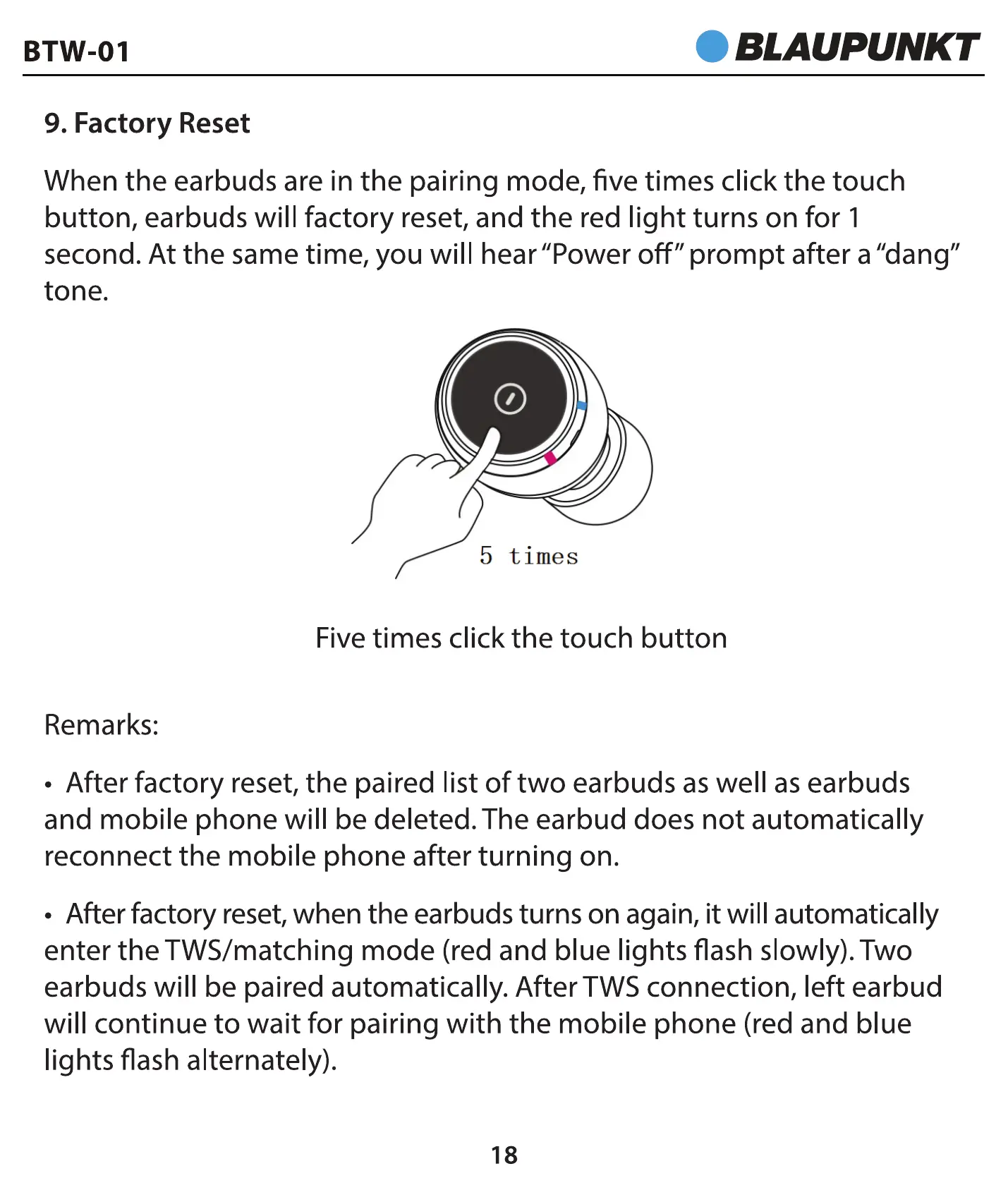
When the earbuds are in the pairing mode, five times click the touch
button, earbuds will factory reset, and the red light turns on for 1
second. At the same time, you will hear "Power off" prompt after a "dang"
tone.
5 times
Five times click the touch button
Remarks:
• After factory reset, the paired list of two earbuds as well as earbuds
and mobile phone will be deleted. The earbud does not automatically
reconnect the mobile phone after turning on.
• After factory reset,when the earbuds turns on again, it will automatically
enter the TWS/matching mode (red and blue lights flash slowly). Two
earbuds will be paired automatically. After TWS connection, left earbud
will continue to wait for pairing with the mobile phone (red and blue
lights flash alternately).
18


 To Next Page