LS 275e
Wireless Pairing Operation Guide
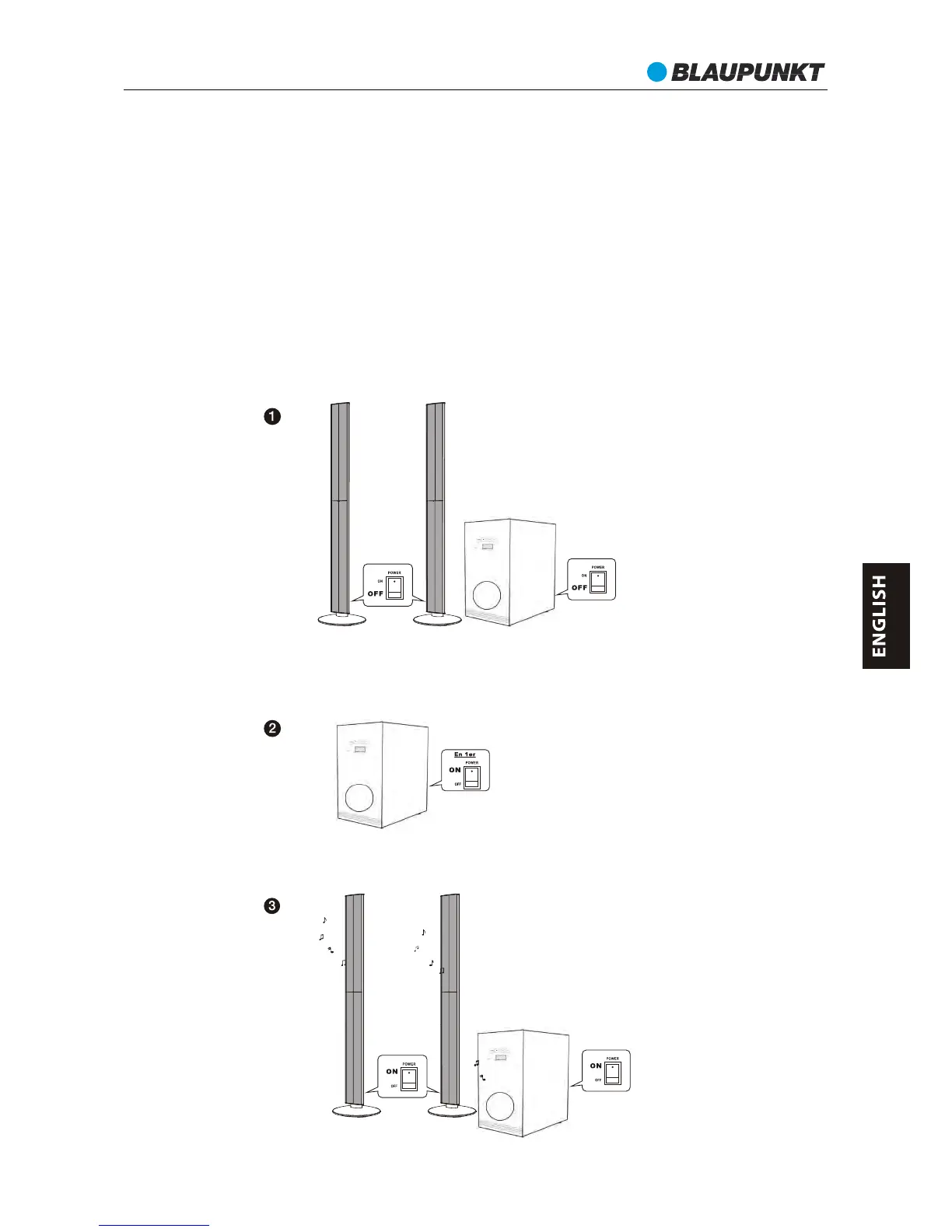
Pairing wireless rear speakers
1. Turn off the subwoofer and rear wireless speakers.
2. Plug on AC power supply for subwoofer and rear wireless speakers. Switch on the
subwoofer and press the “standby” button to power on the subwoofer. Switch on the
rear left and right speakers within 20 seconds after power on the subwoofer.
3. After 30 seconds, the LED light on rear speaker will in blue color: the system has
finished the pairing. You can start enjoy the music.
The speaker system has been already paired in the production line. Once you turn on
the subwoofer and then turn on the rear wireless speakers the system will pair
them automatically.
If the communication between the subwoofer and wireless speakers is not
established automatically (synchronisation failure or presence of several WiFi
devices in the some area), there is no sound from rear speaker. Please try and follow
up below procedure for manual pairing.
54



 To Next Page