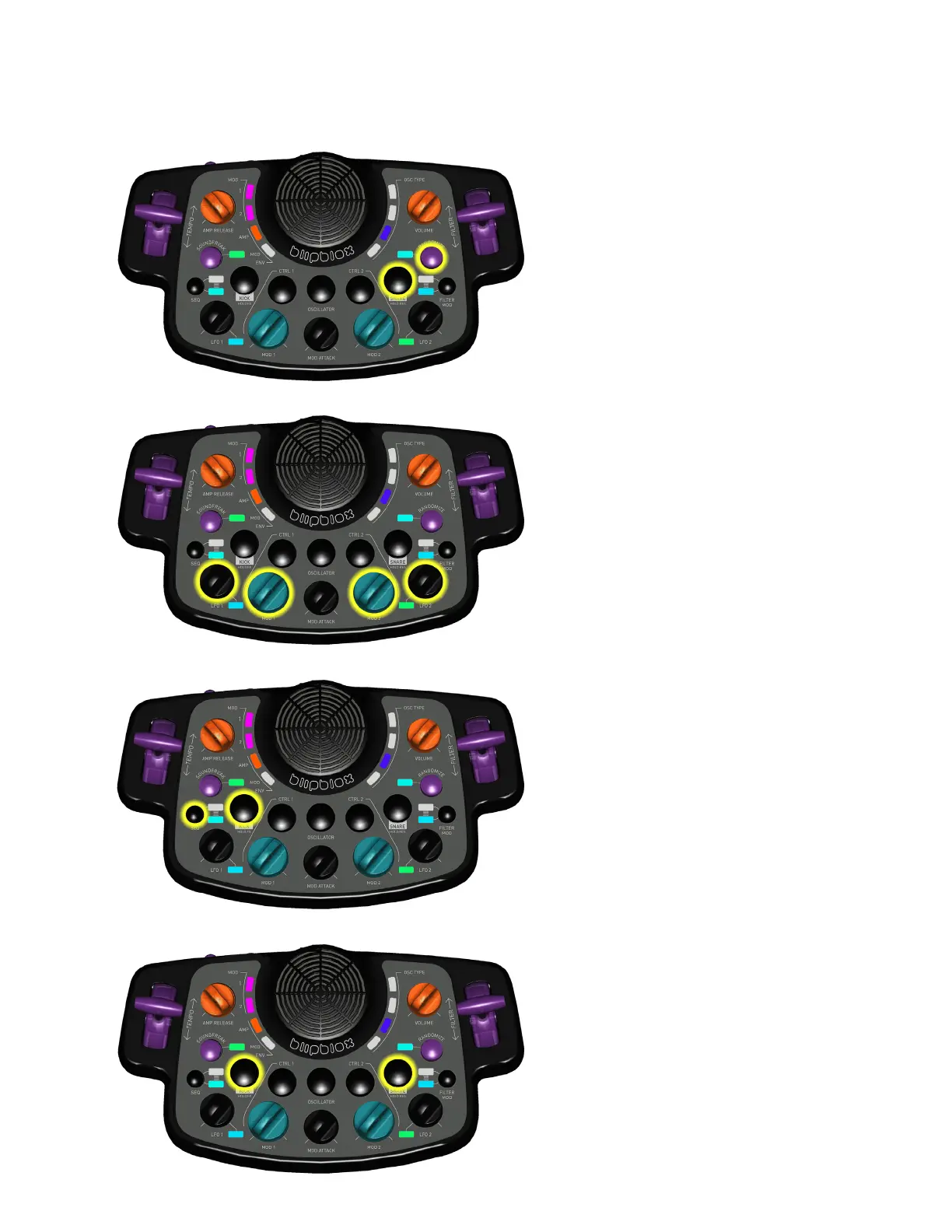
ENTER DRUM SOLO MODE
Press and hold: KICK button, then
press SEQUENCER button.
MODIFY DRUM MODE PARAMETERS
While in Drum Edit mode (see
above), use the MOD knobs to
select the drum samples, and the
LFO knobs to change their pitch.
ENTER DRUM EDIT MODE
Press and hold: SNARE button,
then press RANDOMIZE button.
Repeat to exit mode.
See instructions below, MODIFY
DRUM MODE PARAMETERS, to
make adjustments.
AFTER DARK
SPECIAL FUNCTIONS 2
TOGGLE DRUMS ON/OFF
Press and hold: KICK button, then
press SNARE button.



 To Previous Page