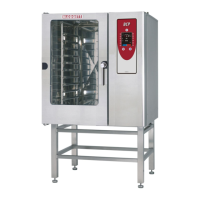
BC14E
8-1
BC14E TROUBLESHOOTING GUIDE
In the following troubleshooting guide, the scheĆ
matic is broken down into areas. This allows the
oven to be checked in sections.
When troubleshooting, slide the control panel out
and use your volt meter. The main control circuit
voltage for all Synergy ovens is 230 volts. Once the
problem is determined, it is often easier to remove
the slide out from the oven completely to change
components. To remove the slide out, disconnect
the hot air thermostat probe, ground wire, and
large brown plug in connector.
NOTE: Always troubleshoot a Synergy oven in the
following sequence: COOL DOWN, HOT
AIR, STEAM, and then COMBI. Reference
the text that follows with the appropriate
schematic to help troubleshoot each mode.
NO OPERATION WITH THE MODE SWITCH IN
COOL DOWN
1. Verify the deliming switch is in the on position.
2. Verify the water to the oven is turned on.
3. Verify power is being supplied at the outlet.
4. Check the fuses in the panel underneath the
control panel. See FIGURE 1, location (A).
5. Single phase ovens - Remove the front drip
pan and check the 60 amp fuses located under
the oven. See FIGURE 1, location (A).
6. Check the noise filter input and output. See
FIGURE 1, location (A).
7. Check the P13 snap disk. See FIGURE 1, locaĆ
tion (B).
8. Check the mode switch. See FIGURE 1.
9. Check the fan speed switch. See FIGURE 1,
location (G).
10. If the motor works in high speed and not low,
check the solid state speed control. See
FIGURE 1, location (I).
11. Check the motor. See FIGURE 1, location (J).
NO OPERATION WITH THE MODE SWITCH IN
HOT AIR
1. Check power at terminal 12 on the mode
switch. See FIGURE 1, location (H). If there is
no power, continue. If the power is 208V, proĆ
ceed to STEP 8. See FIGURE 2, location (B).
2. Check the F3 oven high limit. See FIGURE 1,
location (B).
3. Check the mode switch. See FIGURE 1.
4. Check the S2 door switch. See FIGURE 1,
location (D).
5. Check relay R5. See FIGURE 1, location (E).
6. Check timer S5. Turn timer to ten minutes and
continue. See FIGURE 1, location (E).
7. Check the mode switch. See FIGURE 1, locaĆ
tion (H).
8. Check R202 relay. See FIGURE 2, location (B).
9. If the hot air light is not lit on P5, check the P5
temp controller for voltage. See FIGURE 2
location (B).
10. Check that relay R205 contacts 9 and 1 are
closed. See FIGURE 2, location (C).
11. Check R201 relay contacts. See FIGURE 2,
location (E).
12. Check solid state contactor K2ĆA, is the red
LED on? See FIGURE 2, location (F).
13. Check R200 relay, coil and contacts. See
FIGURE 2, location (D).
14. Check solid state contactor K2ĆB, is red LED
on? See FIGURE 2, location (F).
NO OPERATION WITH THE MODE SWITCH IN
STEAM
1. Check power at terminal 6 on the mode switch.
See FIGURE 1, location (H). If there is no powĆ
er, return to NO OPERATION WITH THE MODE
SWITCH IN HOT AIR. Your problem is most likeĆ
ly a bad mode switch position. If power is 230V
proceed.
2. If the steam logo by the mode switch is illumiĆ
nated, jump to STEP 9.
3. If the LOW WATER light in the lower right hand
corner of the control panel stays on, jump to
NO FILLING OF STEAM GENERATOR.
4. Check that R202 relay contacts close. See
FIGURE 3, location (B).
5. If the hot air light is not lit (H5) on P5, check P5
temp controller for voltage. See FIGURE 3,
location (B).


 To Next Page
 Loading...