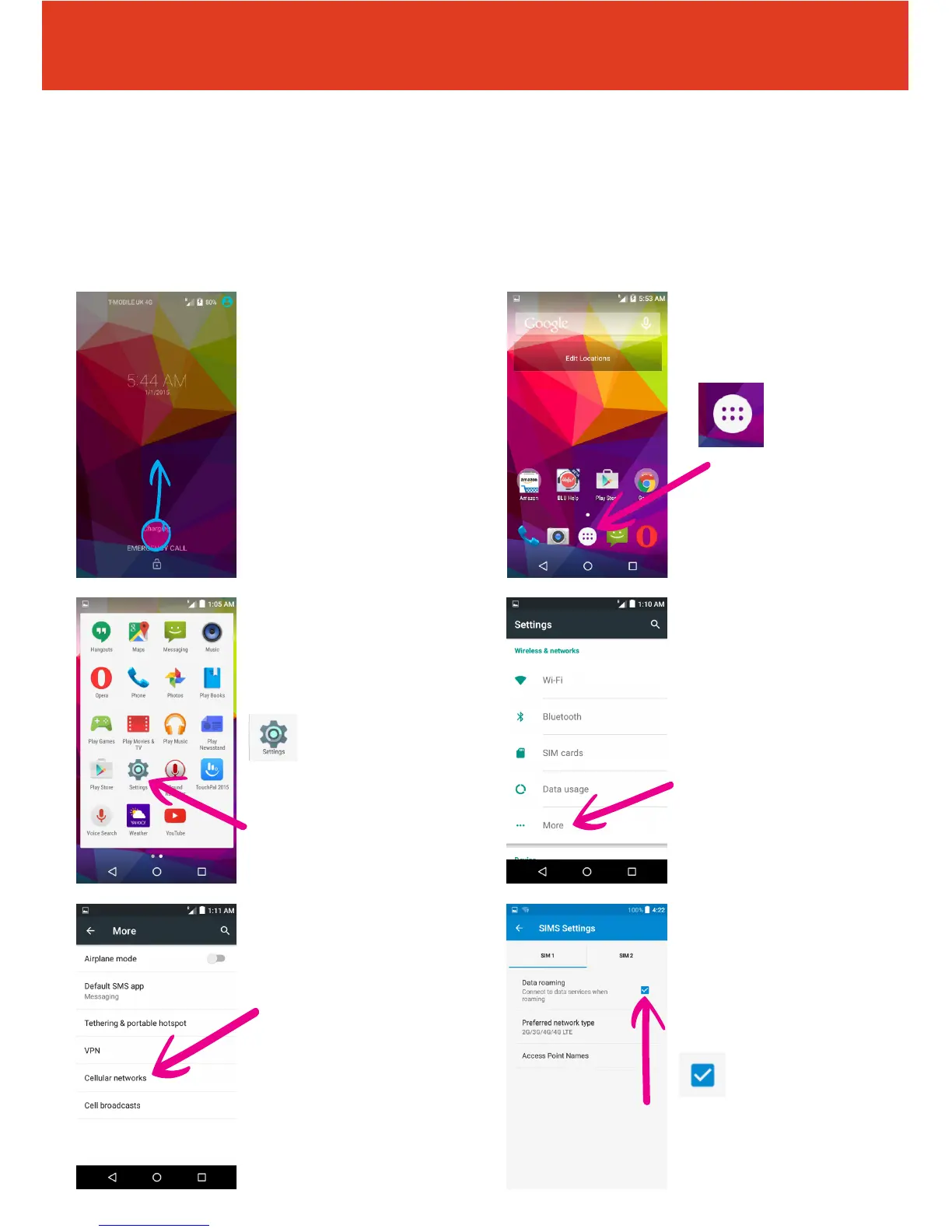
6 Tap the empty check
box to the right of “Data
Roaming“. Read the
warning and click “OK“.
This will put a blue check
in the “Data Roaming“ box.
BLU STUDIO C 5+5 LTE - Data Setup Guide
Setting Up Cellular Data on Your Smartphone
To set-up your smartphone to use the Mobal Data Service, simply follow
these steps below:
1 Press the power
button located on the top
of the right edge of the
phone (under the volume
buttons). Unlock your
phone by dragging the
padlock symbol upwards.
3 Swipe the screen to
the left or right until you
can see the “Settings“ icon
and tap on it
5 Tap on “Cellular
networks“
4 Tap on “More...“
QS49Ver08JUN16
2 Tap the menu icon in
the bottom of the screen.



 To Next Page