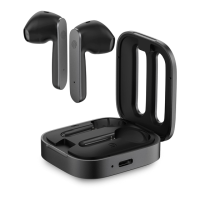
Dual-ear mode: Initial use of headsets
Take out both left and right earphones from the charging box
when using it for the first time. Tear off the film. Put both
earphones back into the charging box. The two earphone
indicator lights is on. The headset is activated.
Basic Operations
Automatic power on/off: Open the lid of the charging box,
the headset will automatically turn on and the TWS
connection is successful. The headsets automatically shut
down after 3 minutes of pairing timeout. Put the earphone
back into the charging box and close the charging cover.
The earphone will automatically shut down after
disconnecting the phone and enter the charging state.
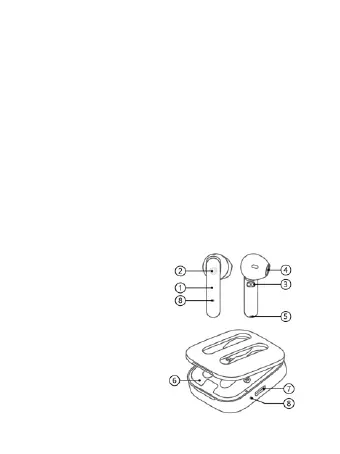
Product overview
1. Headsets
2. Multifunction key
3. Charging contacts
4. Sound hole
5. Microphone
6. Charging box
7. Charging interface
8. Indicator light


 To Next Page
 Loading...