12
Add New Contact
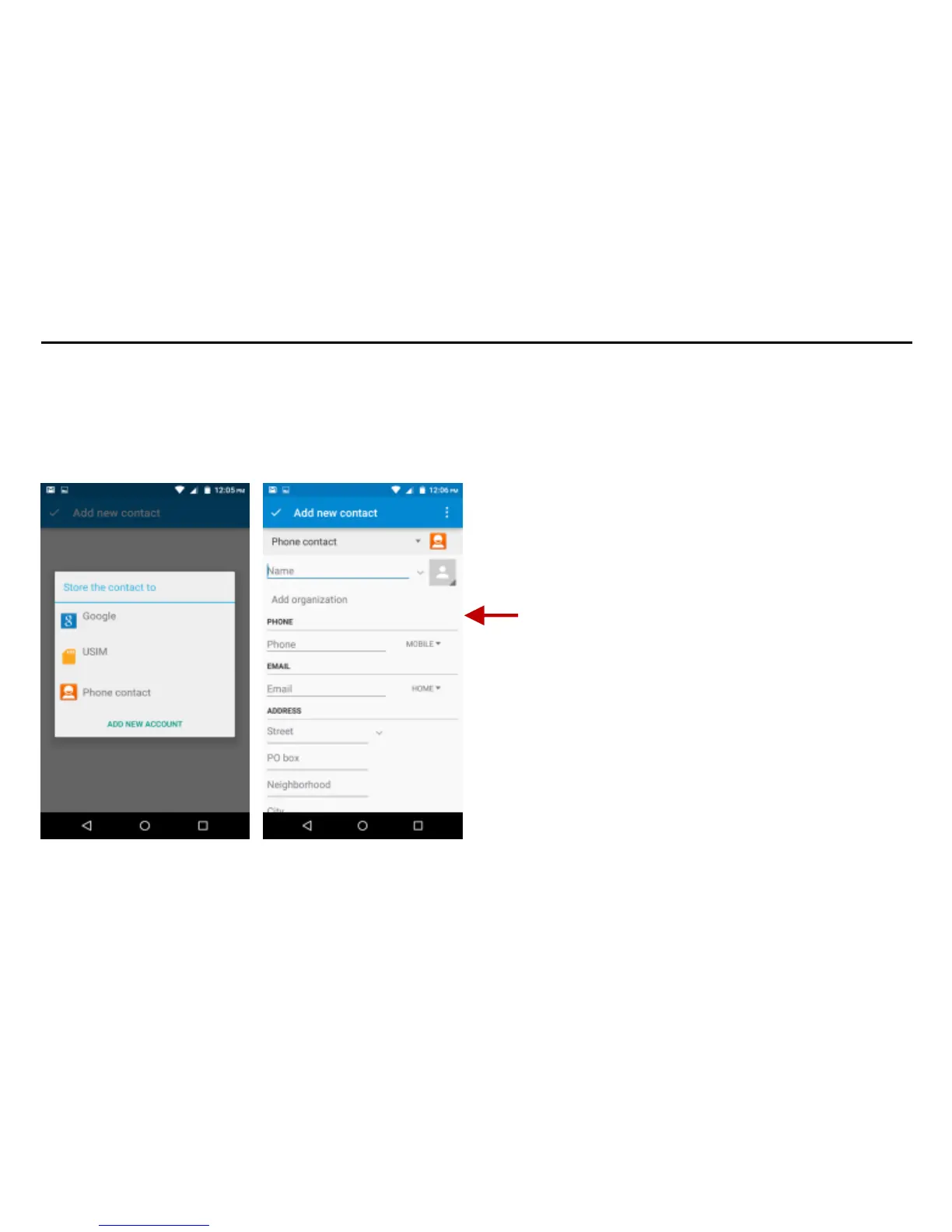
Click the add contact icon (+) to add contact icon in the bottom right.
Select to save your contacts to your Google account, the phablet or the SIM card.
You may enter different contact details which include adding a picture, name, number, group,
address, and email among other options.
Click to save contact.



 To Next Page