Do not allow foreign objects to enter the ventilation or exhaust openings. This may
cause electric shock or damage to the unit.
Never try to repair or adjust any of the electrical or mechanical functions on your
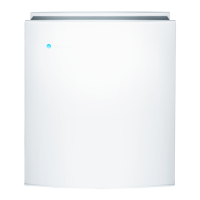
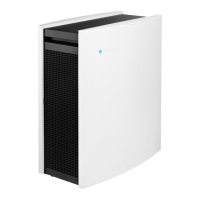
Blueair300/Blueair400 yourself. Contact your local dealer or Blueair for service center
information.
Use only authorized Blueair filters.
U S I N G Y O U R B L U E A I R
Place the unit in a location that allows air to circulate freely in, out and around the unit.
Do not place the unit:
• Directly on or against soft furnishings (such as bedding or curtains).
• Near electronically sensitive devices (such as a computer within 6˝/10cm).
• Near sources of heat (such as radiators, fireplaces or ovens).
• Near oxygen tanks or other combustible gases.
Do not let the Blueair come in contact with water. It is not designed for use outdoors or
in wet areas (such as bathrooms).
S E T T I N G S
When turning on the Blueair after the unit has been off, turn the speed control to level 3
for a few minutes of fast initial cleaning. Then adjust the control to the desired speed:
1. HEPASilent™ (for nighttime use).
2. Moderate fan speed (for daytime use).
3. Maximum operation (for fast initial cleaning or very polluted air).
For best results, run your Blueair300/Blueair400 24 hours a day, 7 days a week. Continuous oper-
ation means you get a continuous supply of clean, filtered air circulating throughout the room.
Blueair300/Blueair400






 To Next Page