Which Cable Should I Use?
Your Embrace is supplied with two headphone cables: one features a microphone and remote
control for use with compatible devices, such as the Apple iPhone. The other cable is a
“straight-through” cable for use with devices that do not support the microphone and remote.
Your Embrace is also supplied with an OMTP adapter. Some devices require
you to connect this in order to use the microphone and remote.
Try the microphone/remote cable first.
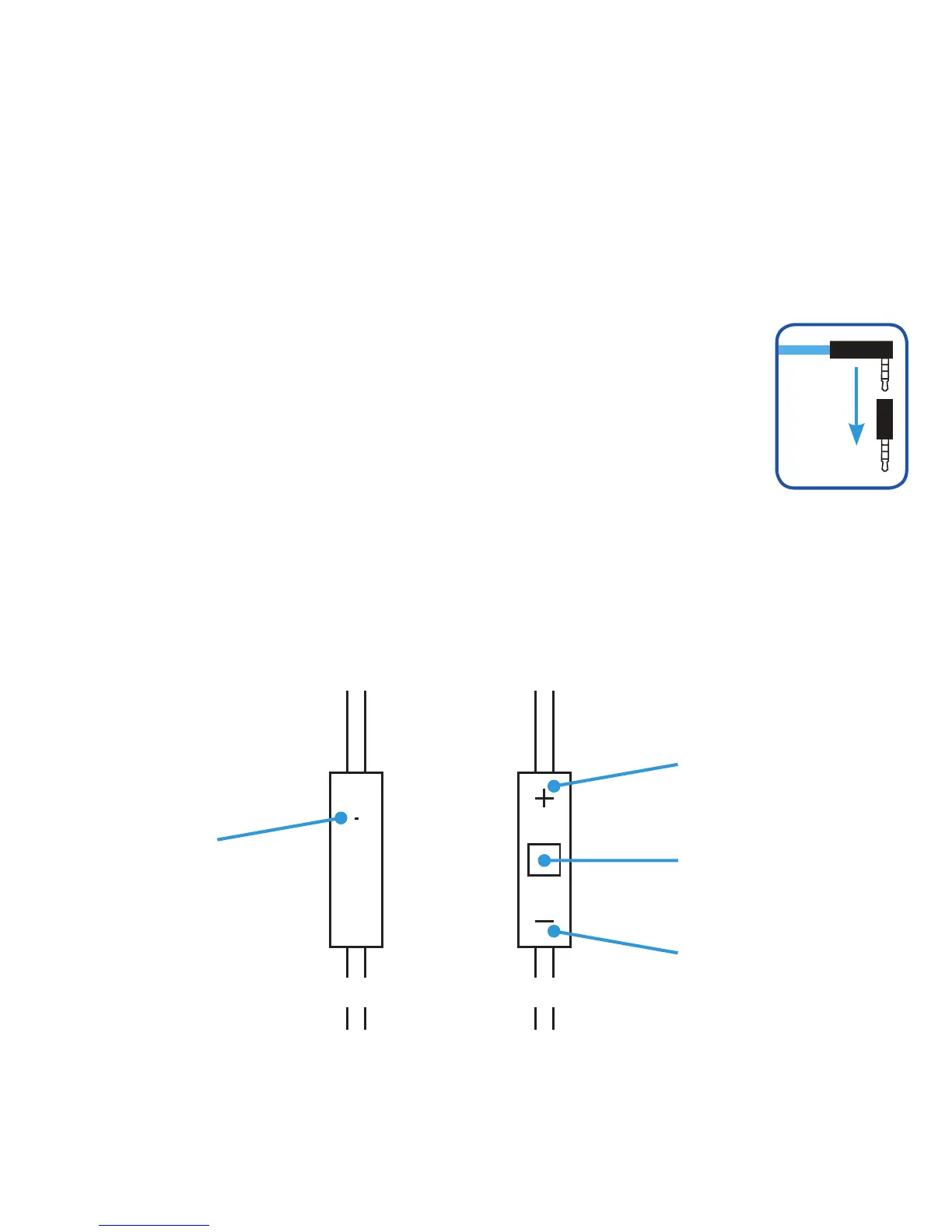
If the microphone and remote do not control your device, try connecting the
OMTP adapter to the end of the cable as shown here before connecting it to
the headphone socket on your music player.
Using the Microphone and Remote Controls
Use the microphone and remote control on your headphone cable to adjust the volume,
answer calls, and control music playback on selected devices. Please note that not all devices
support all the functions of the remote and microphone.
Back Front
Microphone
Volume Up
Volume Down
Middle Button:
see below




 To Next Page