This document is the user manual for the Bluebird MT280 Mobile Payment Terminal, a device designed for various payment processing and mobile computing tasks. The manual provides comprehensive information on the device's features, usage, and maintenance.
Function Description
The Bluebird MT280 is a mobile payment terminal primarily used for processing card payments. It integrates multiple card reading technologies, including Magnetic Stripe Reader (MSR), IC Card (chip card) reader, and Contactless (NFC) payment capabilities. The device also features an internal thermal printer for issuing receipts, a display for user interaction, and a keypad for data entry. Its mobile design allows for use in various environments, from retail to field services. The terminal supports communication options such as WWAN (GSM/GPRS/EDGE), WLAN (IEEE 802.11 b/g/n), and WPAN (Bluetooth V4.0), enabling flexible connectivity for transactions and data exchange. It is designed to be a reliable and secure solution for businesses requiring on-the-go payment processing.
Important Technical Specifications
The MT280 is powered by an ARM11 32-bit Security Processor and runs on a Linux operating system. It comes with 128MB of Flash and 64MB of RAM, with optional configurations of 512MB Flash and 128MB RAM. Connectivity includes one USB OTG port.
For payment options, it features a bi-directional, triple-track MSR (Tracks 1, 2, 3). The IC card reader is EMV Level 1 and 2 type approved, supporting ISO 7816, 1.8V, 3V, 5V synchronous and asynchronous cards. Contactless payment supports optional MasterCard PayPass, Visa payWave, and NFC (Near Field Communication) with support for MIFARE, CALYPSO, FELICA, etc. Security is enhanced with Stonewall Security™ and Patented PCI PTS 4.X.
The display is a 2.8-inch, 26K Color LCD with 320 x 240 pixels resolution, and an optional Capacitive Touch with Corning® Gorilla® Glass & Tactile feedback. The keypad is a 3x5 numeric backlit keypad with 9 backlit operational keys. The device is powered by a Li-ion 1,500mAh battery, with charging via a 9V 3A terminal/cradle or a 9V 2.5A car charger. It includes an optional MicroSD expansion slot and supports optional 3 SAMs or 1 SIM / 2 SAMs. The thermal printer offers 40 lines/second printing, with 24 or 32 columns, using standard roll paper of 58mm (2.25 in.) x 25 or 40mm. Audio feedback is provided by a buzzer and an optional speaker.
Physically, the device dimensions and weight vary based on the paper roll option: 78 x 45.4 x 150 mm / 350g for a 25mm paper roll, and 78 x 57 x 161.4 mm / 375g for a 40mm paper roll.
Environmental characteristics include TankSmith™ Technology for durability, with a 4ft./1.2m drop to steel and a waterproof keypad. It operates in temperatures from 0°C to 50°C (32°F to 122°F) and can be stored from -20°C to 60°C (-4°F to 140°F). Humidity tolerance is 5% to 95% relative humidity, non-condensing.
Cradle options (optional) include:
- A Type (1SC-MT-A): DC Only.
- B Type (1SC-MT-B): DC, PSTN, Ethernet, USB Host (2 slots), RS232 (2 slots).
- C Type (1SC-MT-C): DC, PSTN, Ethernet, USB Host (2 slots), RS232 (2 slots), Bluetooth, USB Client.
Charger options include a standard charger, or a charger with Dial-up Modem + Ethernet 10/100 Base T + 2 USB Host + 2 RS232, or a charger with Dial-up Modem + Ethernet 10/100 Base T + 2 USB Host + 2 RS232 + USB Device + Bluetooth.
Usage Features
The MT280 is designed for ease of use in mobile payment scenarios.
- Card Payment:
- MSR: Cards are swiped through the slot on the right side of the device, with the magnetic stripe facing the device. The card can be swiped in both directions.
- IC Card: IC cards are inserted into the slot at the bottom of the terminal, chip first, ensuring it's fully inserted.
- Contactless: For PICC payments, a card is touched to the front LCD area.
- Printer: The device includes an internal thermal printer. To change paper, the printer cover on top of the terminal is unlatched and lifted. New paper rolls are inserted, ensuring the correct direction, and the cover is closed. Receipts are torn off by pulling them toward the LCD.
- Battery Management: The manual details how to insert and remove the battery, emphasizing the importance of using the designated battery and standard power adapter for safety and device longevity.
- Card Installation (USIM, SAM, MicroSD): Instructions are provided for inserting and removing USIM, SAM, and microSD cards. The device supports two SAM slots. For SAM card removal, using sticky tape is suggested for easier extraction. MicroSD card installation involves lifting a flap, inserting the card, and closing the flap.
- Power Connection and Charging: The terminal can be powered by connecting the adapter with a power cable. Charging with a cradle is also detailed, showing how to connect the power cable to the cradle. Users are advised to charge a new battery fully before use and to be aware that charging time may vary. Low battery warnings are provided.
- User Interface: The device features a backlight LCD screen and a keypad with buttons for various functions, including a wake-up button to turn the terminal on or wake it from sleep.
Maintenance Features
The manual provides important warnings and precautions for device and battery usage to ensure safety and prolong the device's life.
- General Precautions: Users are warned against remodeling, disassembling, or repairing the device themselves, as this voids free repair services. It's crucial not to use the device when wet, near explosive zones, or in high-temperature/humidity environments. Data backup is recommended before repairs or upgrades. The device should be kept away from strong magnetic forces, impacts, vibrations, and dusty places. Power cords should be kept away from heating devices and cleaned regularly.
- Battery Precautions: Specific warnings for the battery include avoiding impact, heat, submersion, or hole-drilling to prevent explosions. Batteries should not be left in direct sunlight or hot enclosed spaces. Improper contact with battery pins by metal objects should be avoided. Only the designated battery and standard power adapter should be used.
- Troubleshooting (Q&A):
- Water Damage: If the device gets wet, immediately remove the battery and dry it thoroughly. If it still doesn't work, contact the service center.
- Device Not Turning On: Try resetting the device. If the problem persists, the program may be damaged, and the service center should be contacted.
- Device Not Charging: Check power cable connections and clean charging terminals. If the issue continues, the battery might be old or broken (battery warranty is 6 months).
- Repair Service: Devices can be sent to the headquarter via delivery service. Shipping fees for sending the device are the customer's responsibility, while return shipping is covered by the headquarter after repair.
- Battery Draining Quickly: Wi-Fi or Bluetooth usage can drain the battery faster. If it drains quickly regardless, a new battery may be needed.
- Printer Maintenance: If the printer doesn't print, check battery status, power connection, and ensure paper is properly installed and feeding from the bottom. Verify the paper roller and printer cover are correctly installed. For paper jams, remove the jammed paper and install a new roll of good quality paper.
- Card Reader Maintenance: If transactions fail, check the magnetic stripe reader by trying different cards and ensuring correct swiping (magnetic stripe down and inward, toward the keypad). For IC card reader issues, try different smart cards, ensure proper insertion, and do not remove the card prematurely. Verify SAM cards are properly installed.
- Charged Service: Repairs are charged for issues arising from inappropriate use, customer mistakes (dropping, submersion, unauthorized repairs, intentional damage, fraudulent parts), or natural causes (fire, flood, etc.), and for expendable parts that have reached their end of life. Free repair is provided if the same default occurs within 2 months (60 days) after a charged repair.
- Warranty: A 1-year warranty from the purchase date is provided. If a receipt or guarantee certificate is lost, the guarantee term is calculated 3 months from the manufacture date. Accessories like batteries are covered only if they match the sales list managed by the service center. The warranty does not cover damages during delivery, so protective packaging is recommended. Bluebird does not guarantee interruption-free or error-free software performance.

 Need help?
 General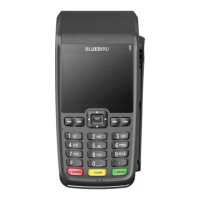

 To Next Page