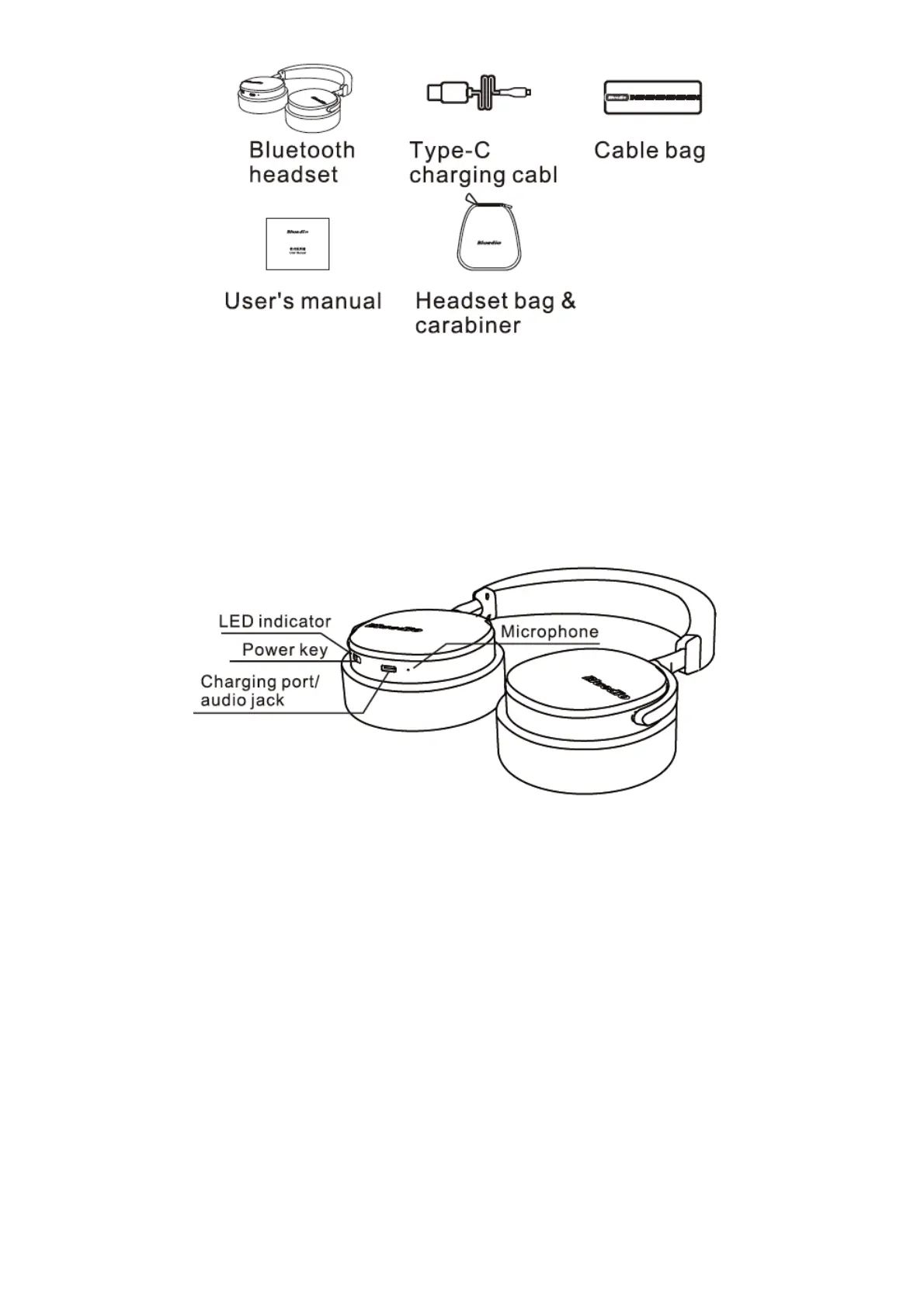
Schematic
Power on/off:
Switch the power key on/off to turn the headset on/off.
Bluetooth pairing:
1. The headset will automatically enter the pairing mode on boot;
2. Start Bluetooth of the mobile phone, search for/add the Bluetooth device, and select “V2” in the
searched results (password “0000” is required for some device).
3. The headset will automatically connect back to the last successfully connected device on boot.



 To Next Page