- 12 -
OPEARTION
2. When the adjust humidity is below 25% . the “CO” will be
displayed. The unit will entry to continuous dehumidify
mode .
Total running hours display and job hours display
setting
1. Press the function key twice, the cursor turns to the
total running hours , The total running hours the cursor
flashing.
2. Press the regulate key to switch to job hours.
3. Wait 3 seconds after switch to job hours is completed,
the unit will automatic recognition of numerical.
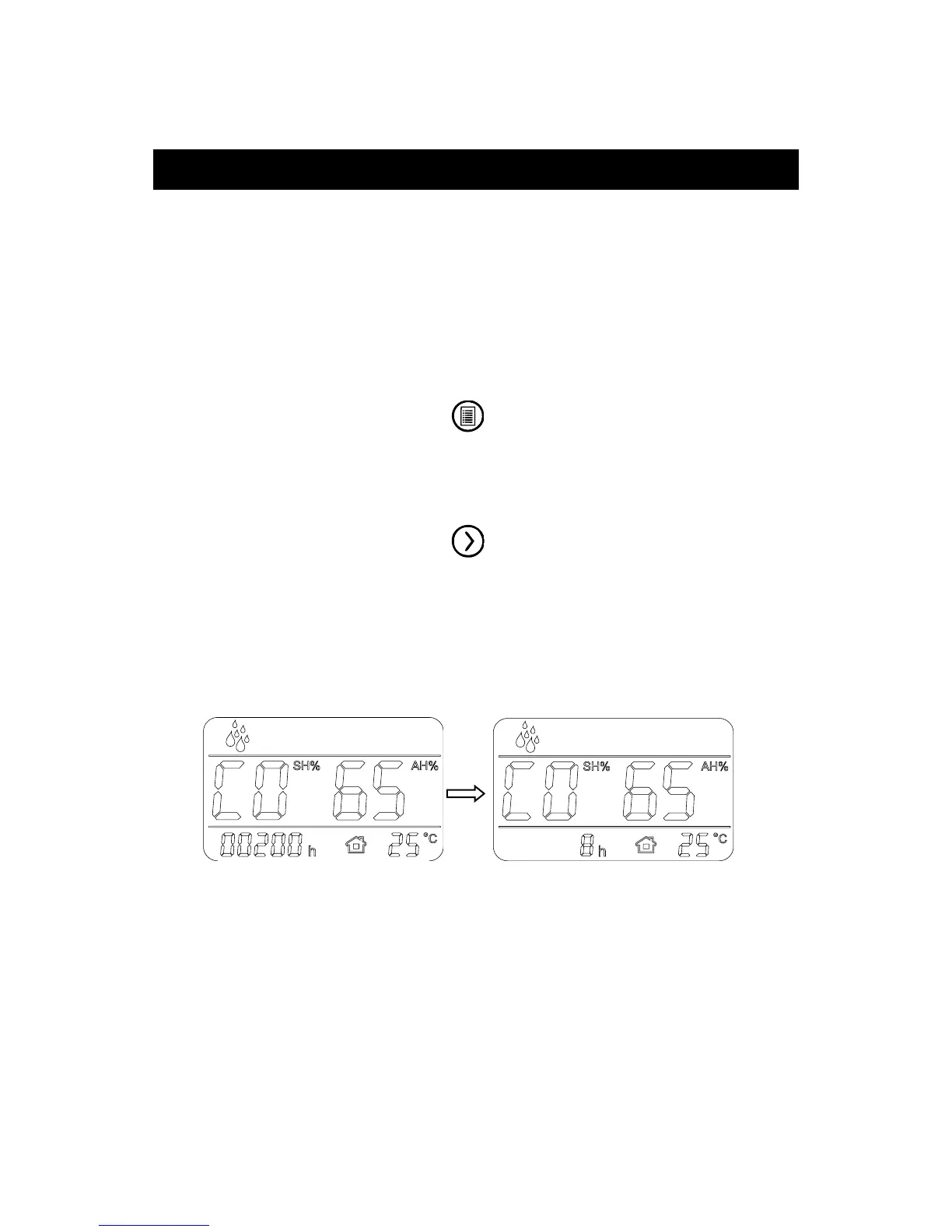
For example as follows:
Total running hours 200h Job hours 8h
NOTE:
The “Total running hours” field displays continuously during
operation. Like a car odometer, this shows the total number of
hours on the unit and cannot be manually reset outside the
factory.


 To Next Page